Rect Grid
Make a new empty game object in your scene, and add the SpriteTileGridBuilder component to it.
Set the component up for a rect grid:
- Set the grid type to Grid2 (because it is a 2D grid).
- Set the round type to Rect.
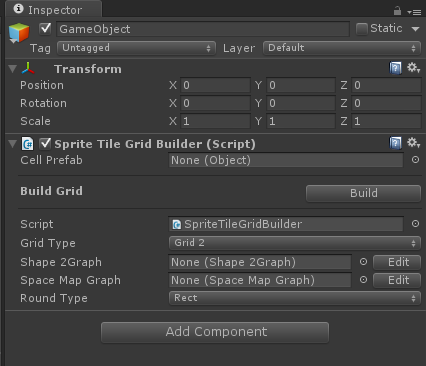
Make a new Shape2Graph (Again, the 2 here refers to 2D shapes) by selecting Create | Grids | Shape2Graph from either the Assets menu or the right click menu in the project window. Select it in the project, and hit the Edit button in the inspector. This will open up the shape graph editor.
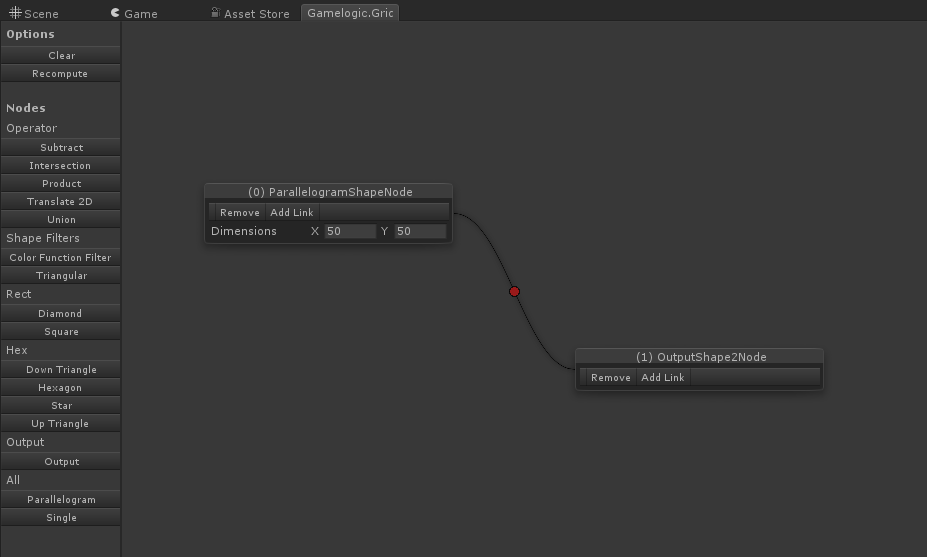
Setup your shape. To make a grid in a rectangular shape, add Parallelogram node, and fill in the grid dimensions dimensions. It’s a parallelogram aligned to the axes and it works for both rect and hex grids. Axis aligned parallelograms are of course rectangles. To show the result of this node should be used, add a Output node, and add a link from the Parallelogram node to the Output node.
Close the graph editor, and drag the graph from your project into the Shape Graph field on the grid builder.
Make a new space map graph (all grids use the same map graphs). These maps are always some transformation of 3D space. In this case, all we want is a scale factor. (By default, cells are always 1×1 for 2D grids). You can make a new map graph from the Assets menu or by right-clicking, and select Create | Grids | SpaceMapGraph. Select the graph in your project, and hit the Edit button.
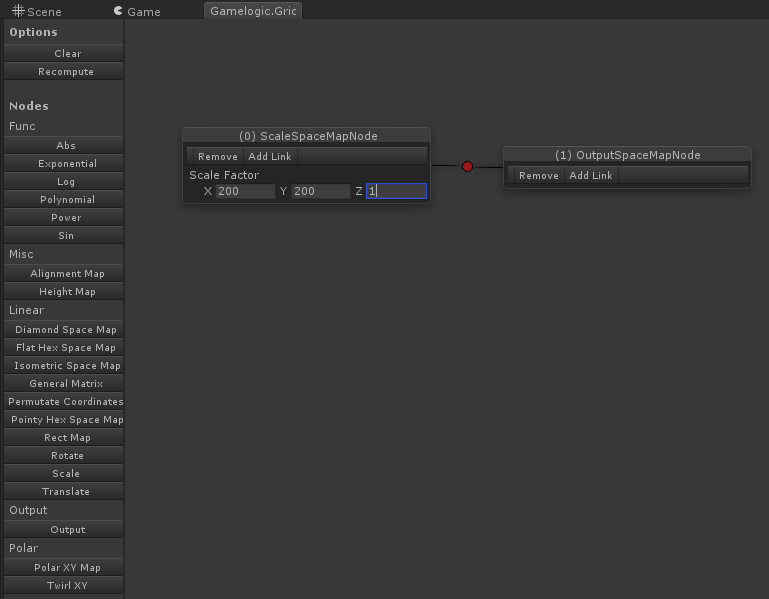
Add a new Scale node, and set the dimensions to those of your cell. In this case we will use the SquareCell prefab that ships with Grids. It has dimensions 200×200, so we set the scale to 200, 200, 1. To show that the result of this node will be used for the map for our grid builder, add a Output node, and link the Scale node to the Output node.
Close the graph editor, and drag the graph from your project into the Space Map graph field on the grid builder.
Drag the cell prefab into the Cell Prefab field.
Click Build. The grid should now be in your scene. You should now see the grid in the scene, all white.
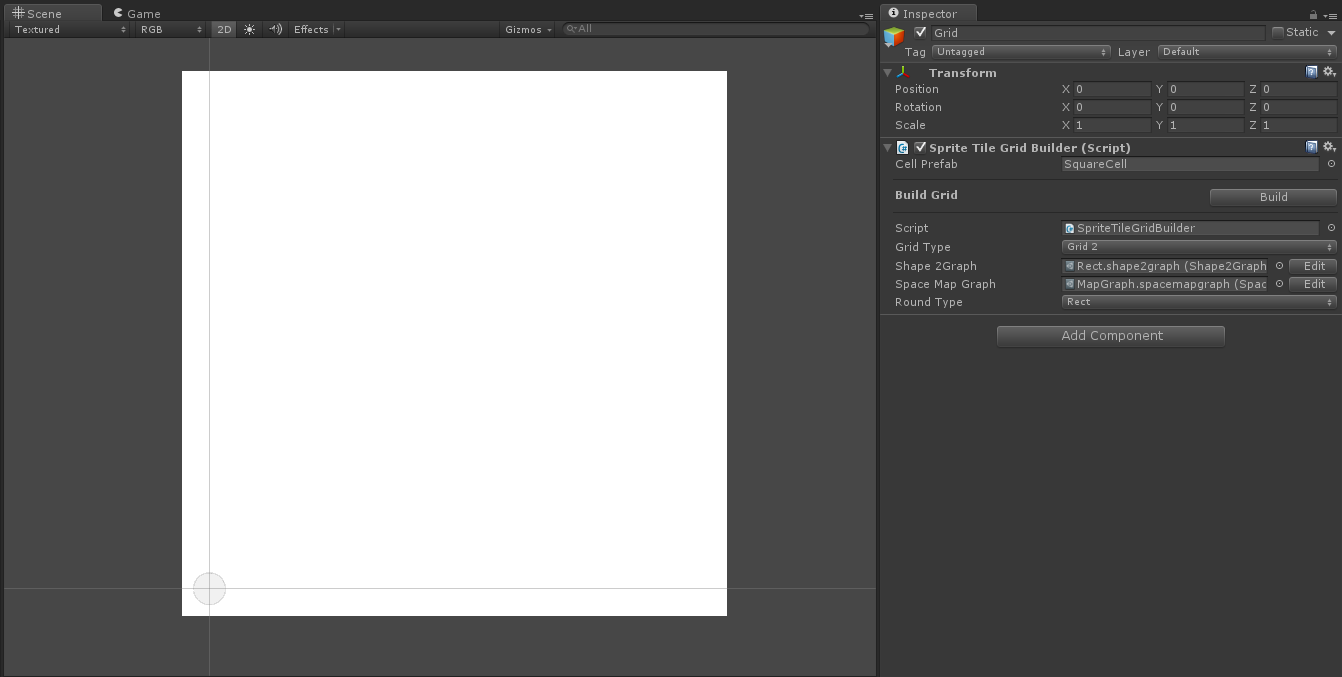
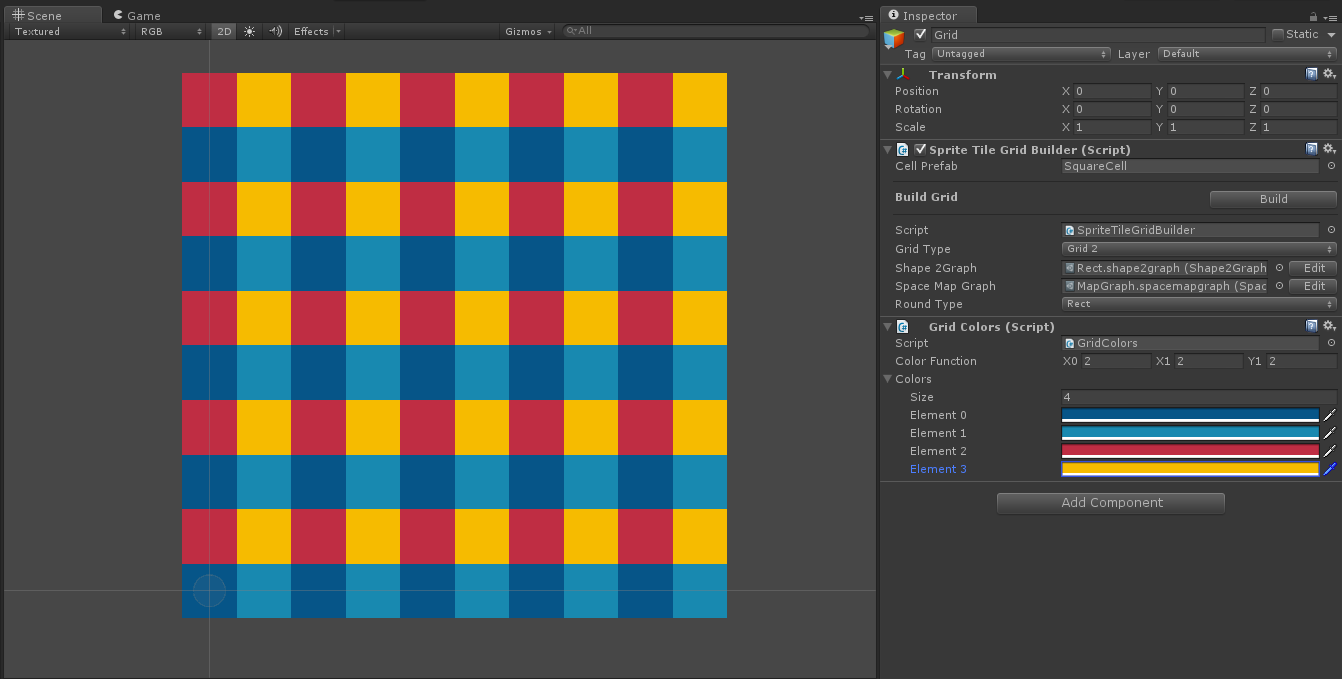
You can see individual cells better if you color them using a grid coloring. To do this, add the GridColor component on the grid builder. Fill in color settings (use 2, 2, 2 with 4 colors).
Your grid should now appear like this: