 1
Hola, gracias por venir a nuestra charla. Soy Herman Tulleken, de Gamelogic, y ella es mi colega Sara San Martín, programadora gráfica independiente. Esta charla mezcla inglés y español. Después de la charla publicaremos una transcripción en ambos idiomas, así que si se pierden algo, podrán revisarlo más tarde.
Hi, thank you for coming to our talk. I am Herman Tulleken from Gamelogic, and this is my colleague Sara San Martín, an independent graphics programmer. This talk is a mix of English and Spanish. After the talk we will make a transcript available in both languages, so if you miss something you will be able to catch it later.
 2
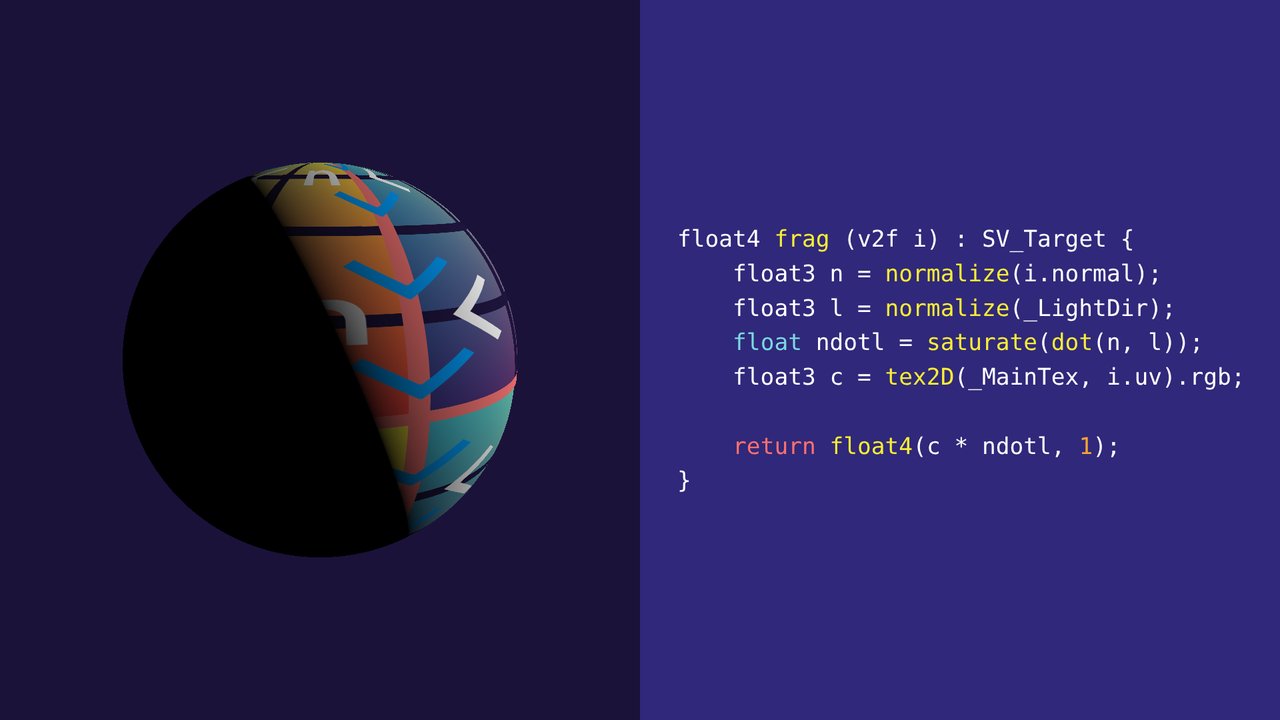
Imaginemos que estamos desarrollando un shader. Lo ideal sería que funcione a la primera, sin embargo ese no suele ser el caso.
Imagine we are developing a shader. Ideally it would work the first time, but that is usually not the case.
 3
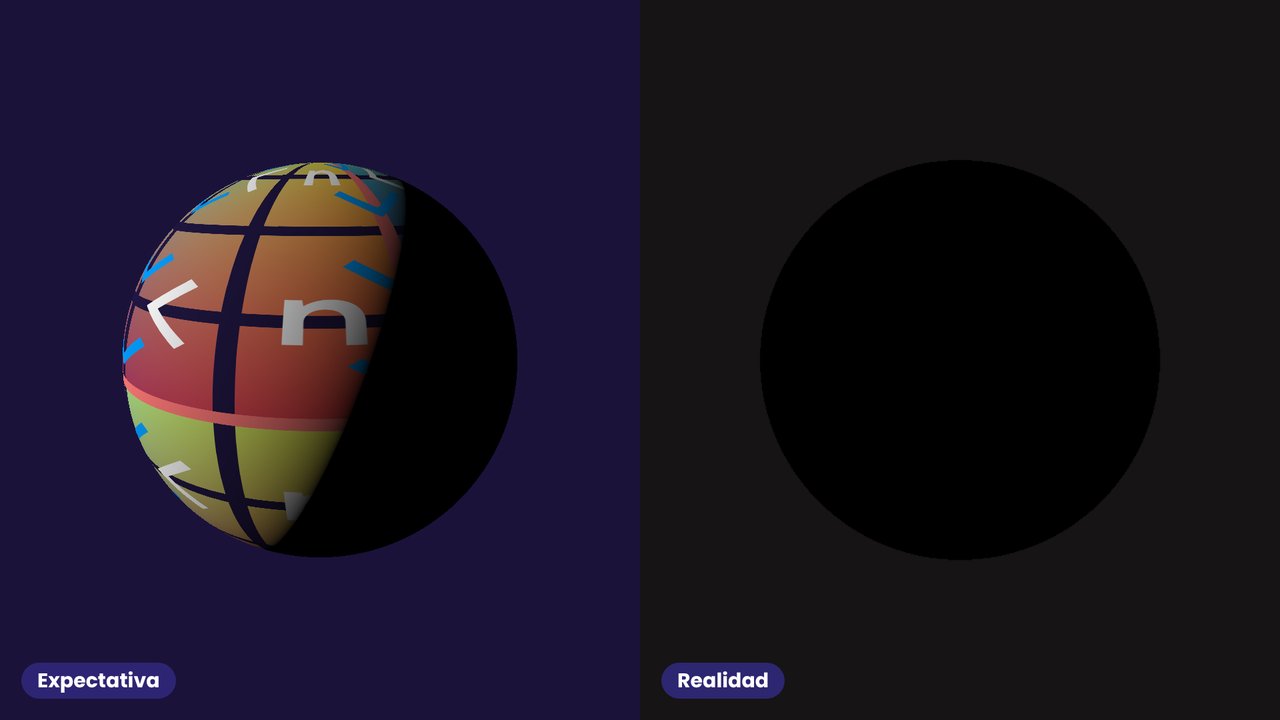
Probablemente nos encontremos con un error gráfico y nos tocará depurar. Aquí la dirección de la luz está en un uniform que nunca se enlazó (bind) desde la CPU: esperábamos un objeto iluminado y obtenemos uno negro.
We will probably run into a graphics bug and have to debug it. Here the light direction is in a uniform that was never bound from the CPU: we expected a lit object and got a black one.
 4
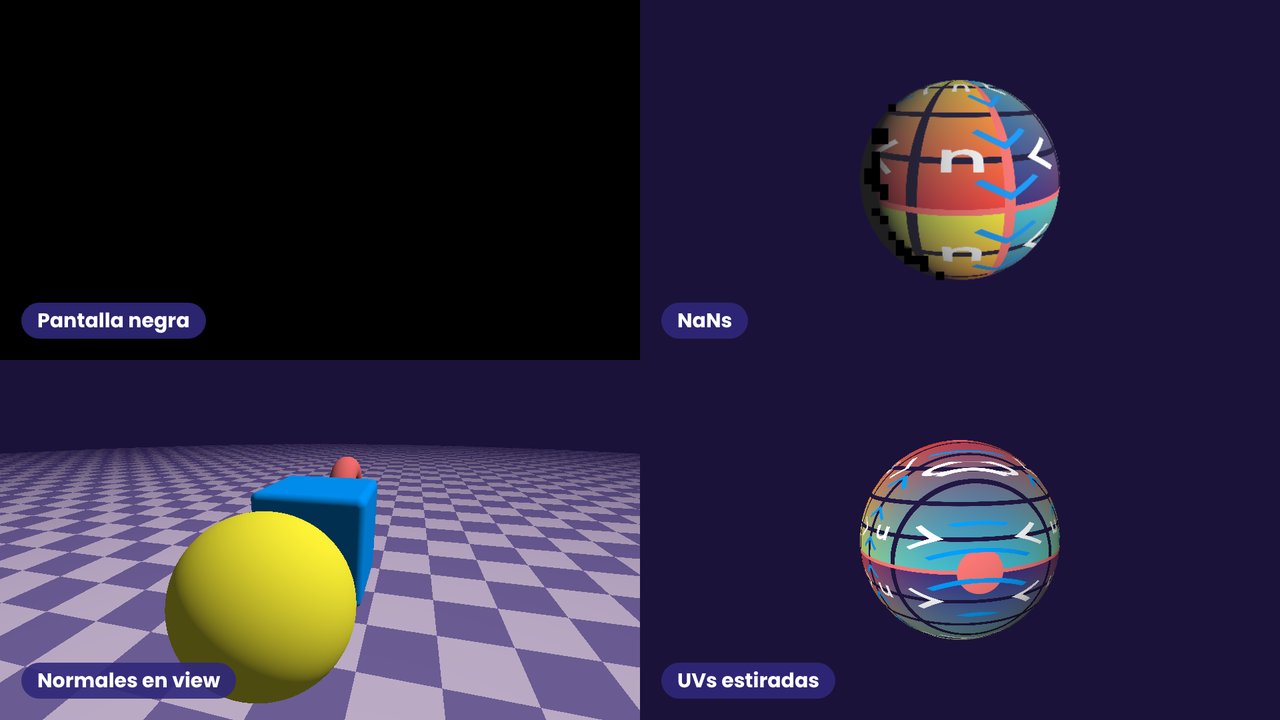
Algunos errores gráficos comunes: pantalla negra, NaNs, normales en espacio de vista y UVs estiradas.
Some common graphics bugs: a black screen, NaNs, normals in view space and stretched UVs.
 5
El problema es que, al contrario de la CPU, en shaders no tenemos logs, tests unitarios o breakpoints (sin herramientas externas) que nos ayuden a diagnosticar el problema.
The problem is that, unlike on the CPU, in shaders we don't have logs, unit tests or breakpoints (without external tools) to help us diagnose the problem.
 6
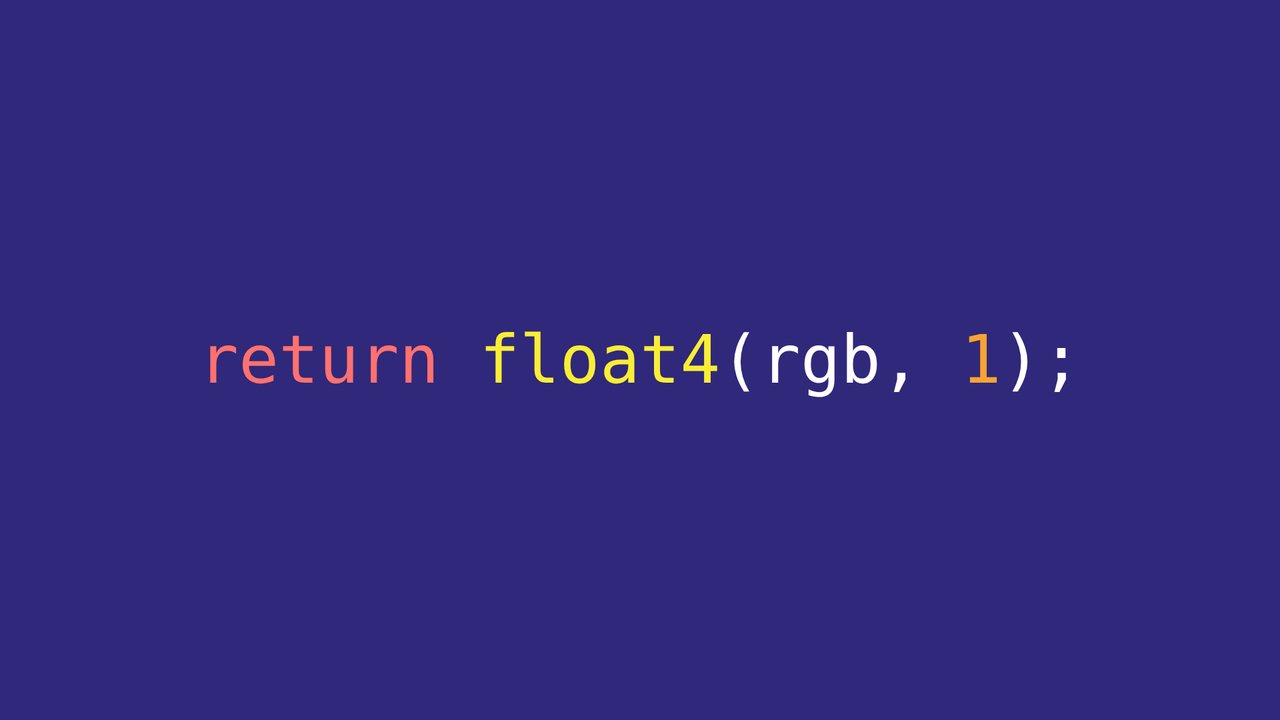
Es por eso que durante esta charla veremos distintas técnicas para depurar shaders, empezando por lo único que siempre tenemos: el color de salida.
That is why in this talk we will look at different techniques for debugging shaders, starting with the one thing we always have: the output colour.
 7
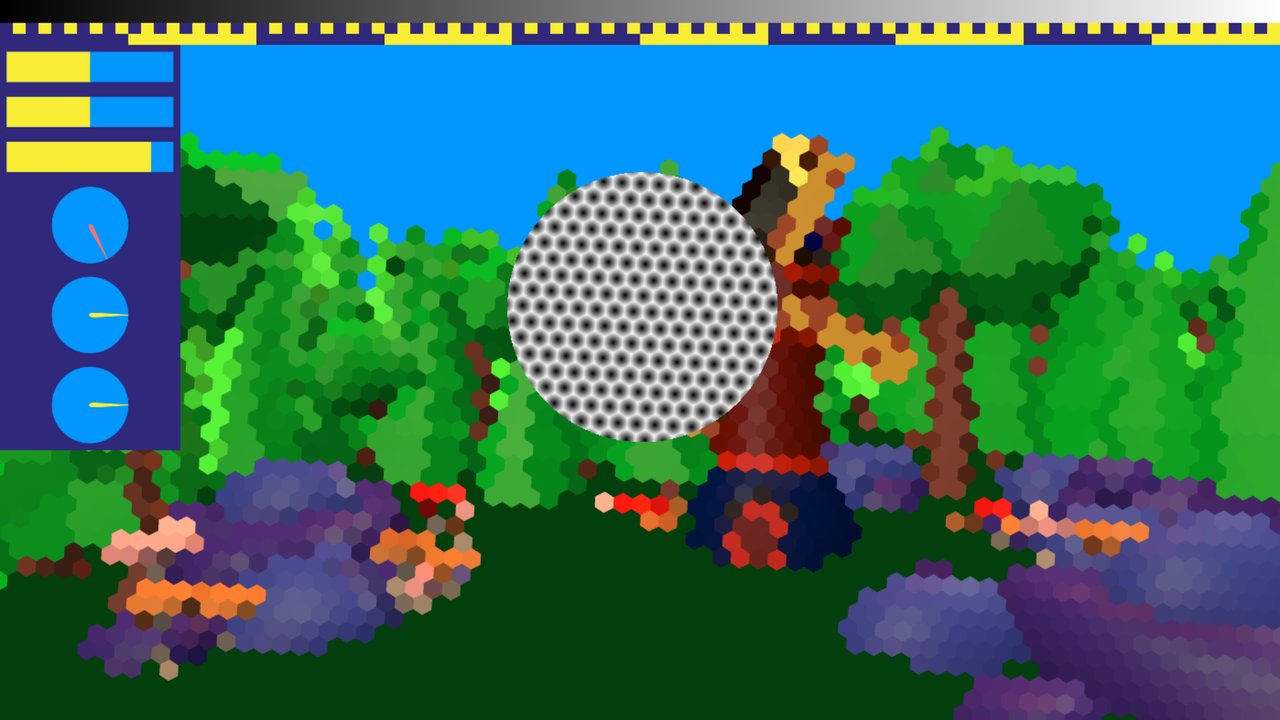
Normalmente no hay una forma simple de examinar el valor de una variable. Por eso es común codificar los valores de una forma que se pueda mostrar en pantalla.
Usually, there is no simple way to examine the value of a variable. Therefore, it is common to encode values in a way that can be displayed.
 8
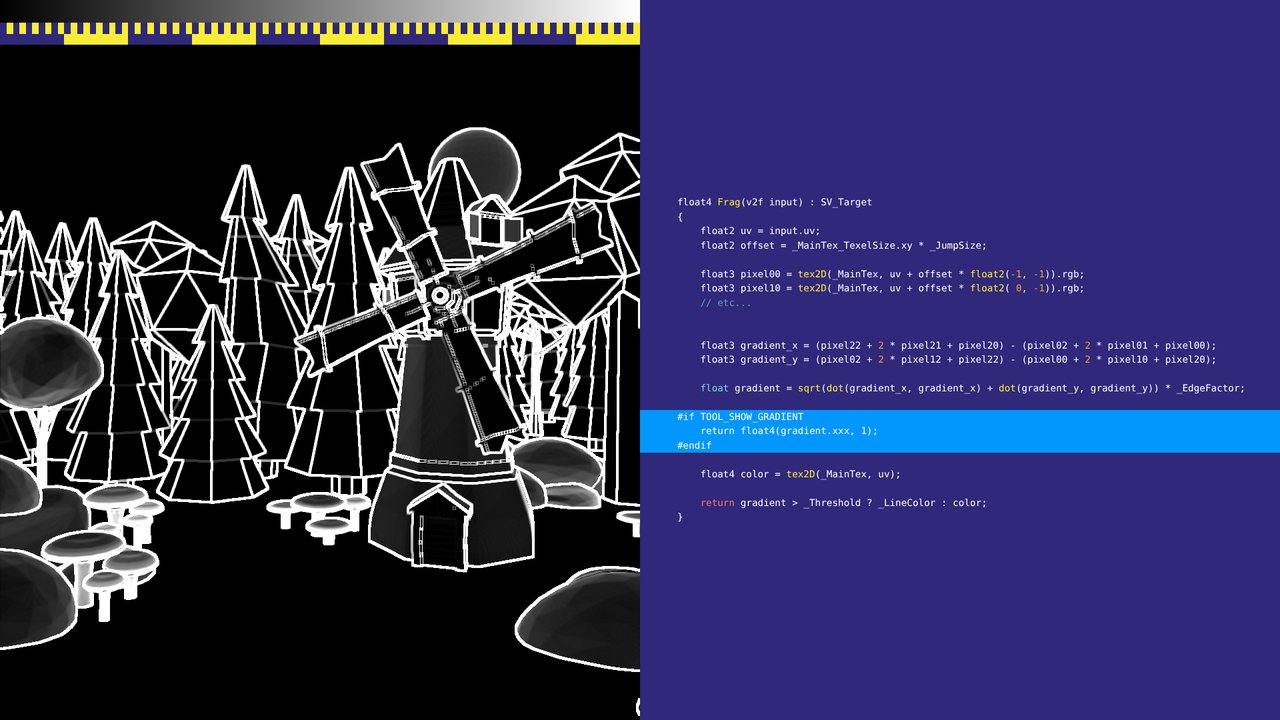
A veces basta con mostrar el valor por píxel, ya sea de la pantalla o de la malla de triángulos. Aquí, el valor de detección de bordes detrás de un efecto de contorno.
Sometimes it is OK to display the value per pixel, either of the screen or of the triangle mesh. Here, the edge-detection value behind an outline effect.
 9
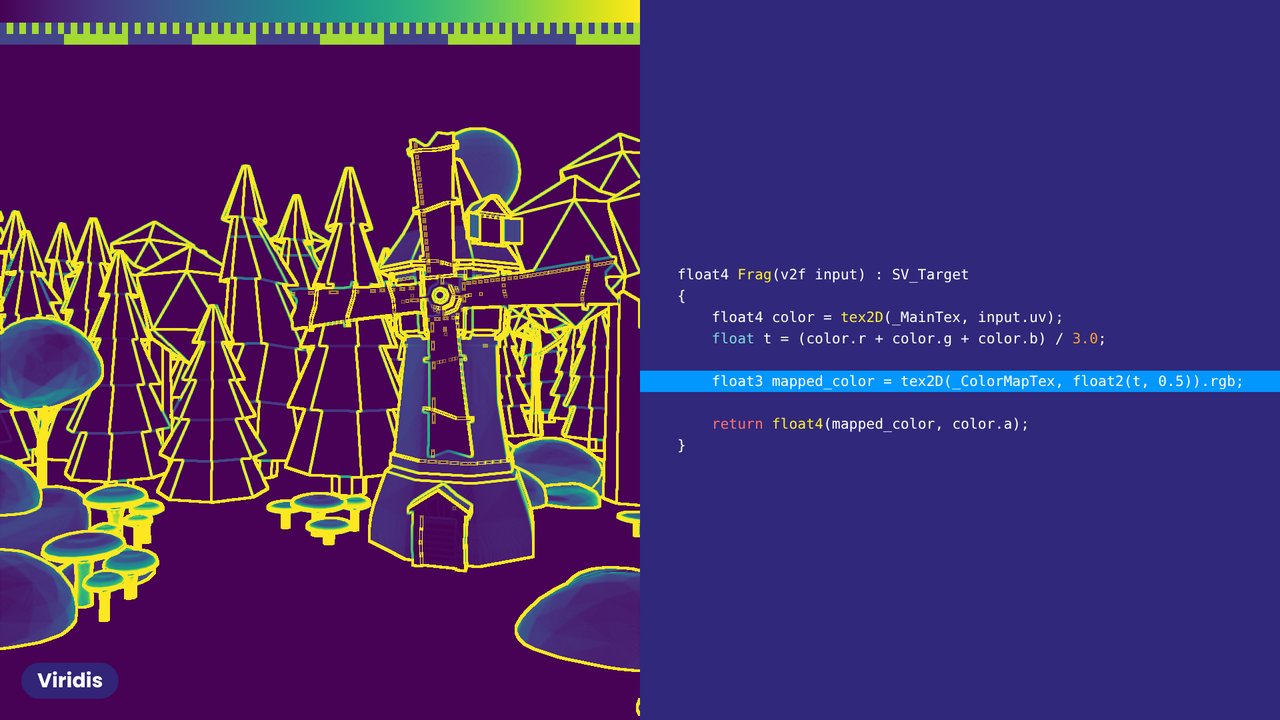
Un float como color: blanco y negro es fácil y suficiente para muchos casos, pero existen mejores mapas de color. Viridis, por ejemplo, distingue mejor los valores.
A float as colour: black and white is easy and fine for many purposes, but better colour maps exist. Viridis, for example, makes values easier to tell apart.
 10
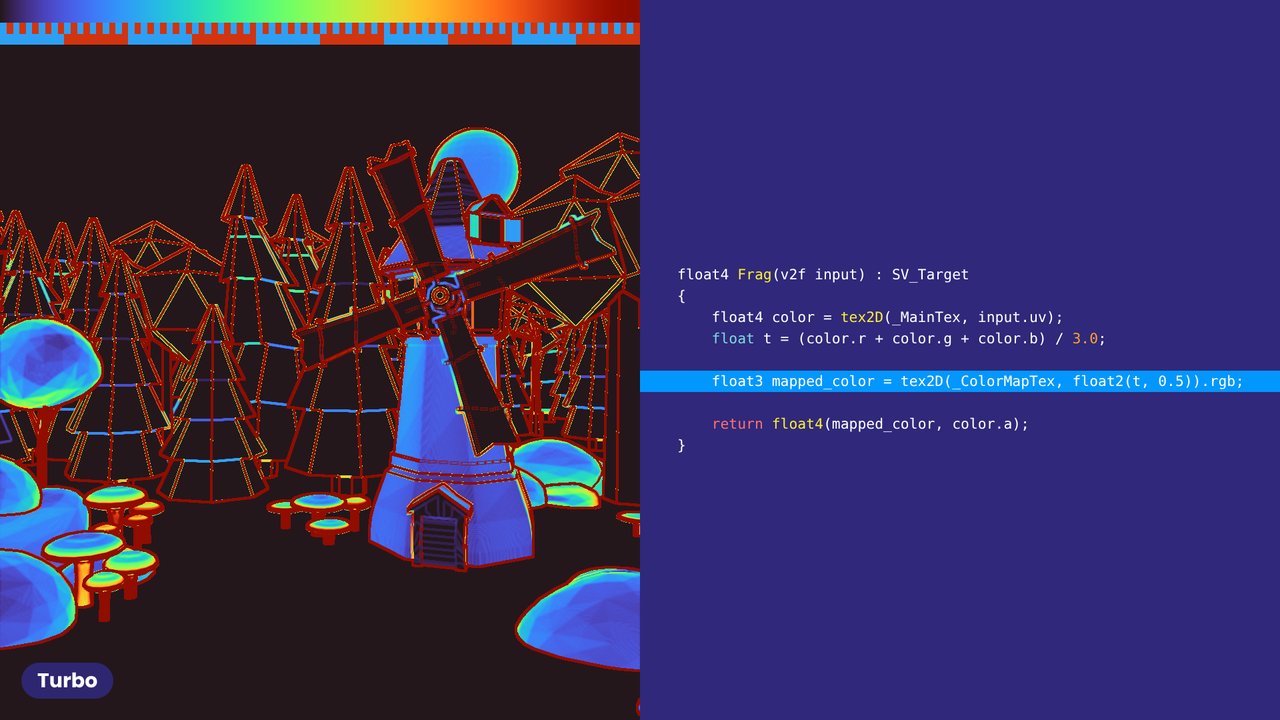
El mismo valor con Turbo, otro mapa de color con buena discriminación.
The same value with Turbo, another colour map with good discrimination.
 11
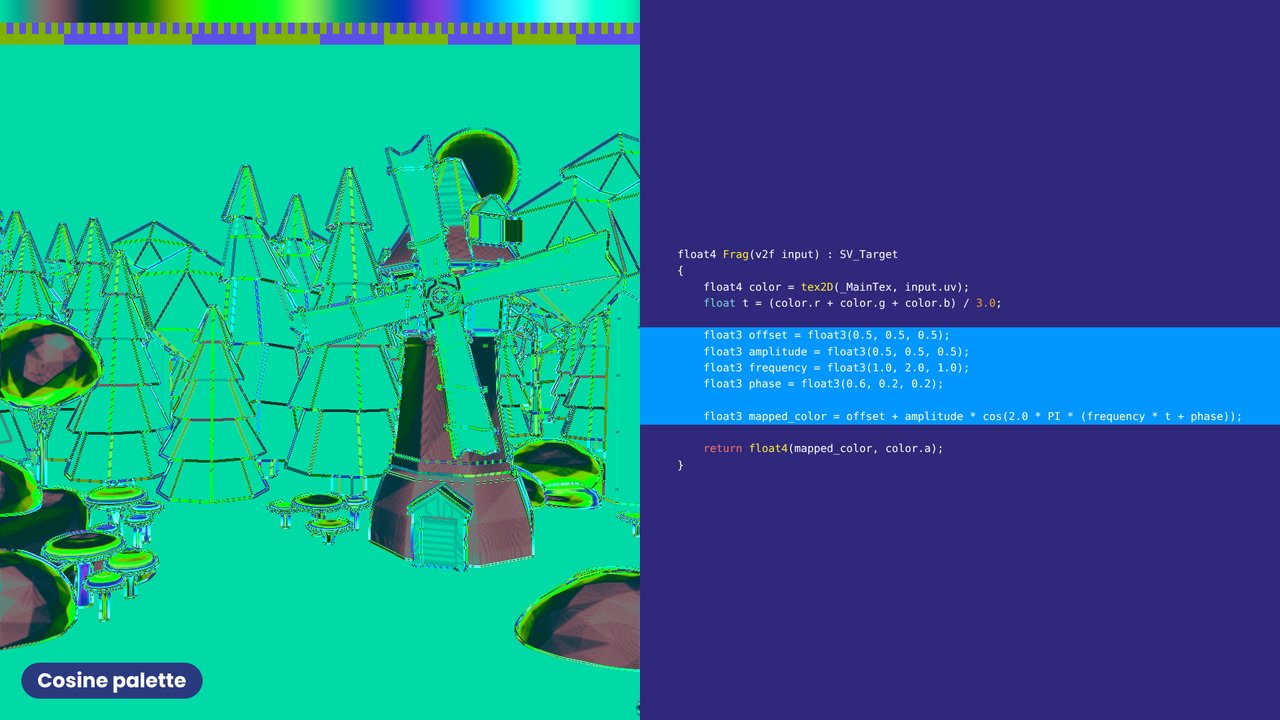
Las paletas coseno de Inigo Quilez se definen con una fórmula de una línea (iquilezles.org/articles/palettes).
Inigo Quilez's cosine palettes are defined by a one-line formula (iquilezles.org/articles/palettes).
 12
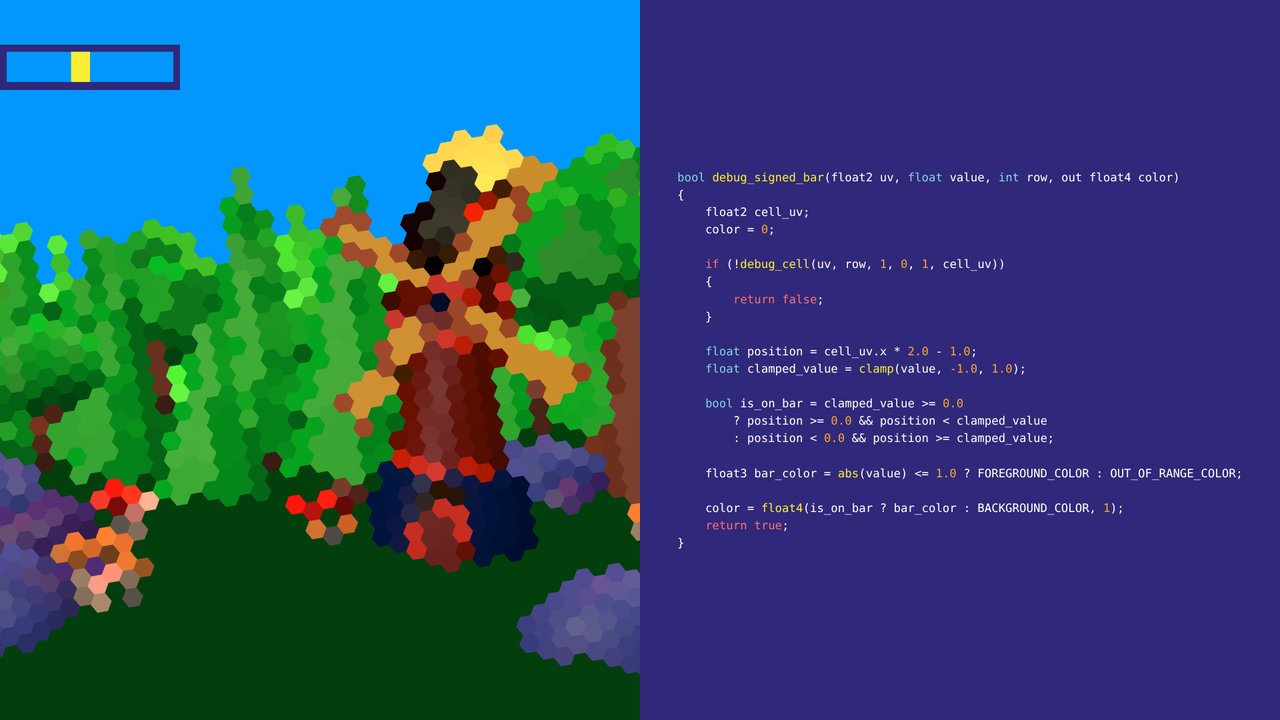
Un float como barra. Aquí la barra con signo muestra el ángulo de la grilla del efecto Pixelate mientras oscila.
A float as a bar. Here the signed bar shows the grid angle of the Pixelate effect as it swings.
 13
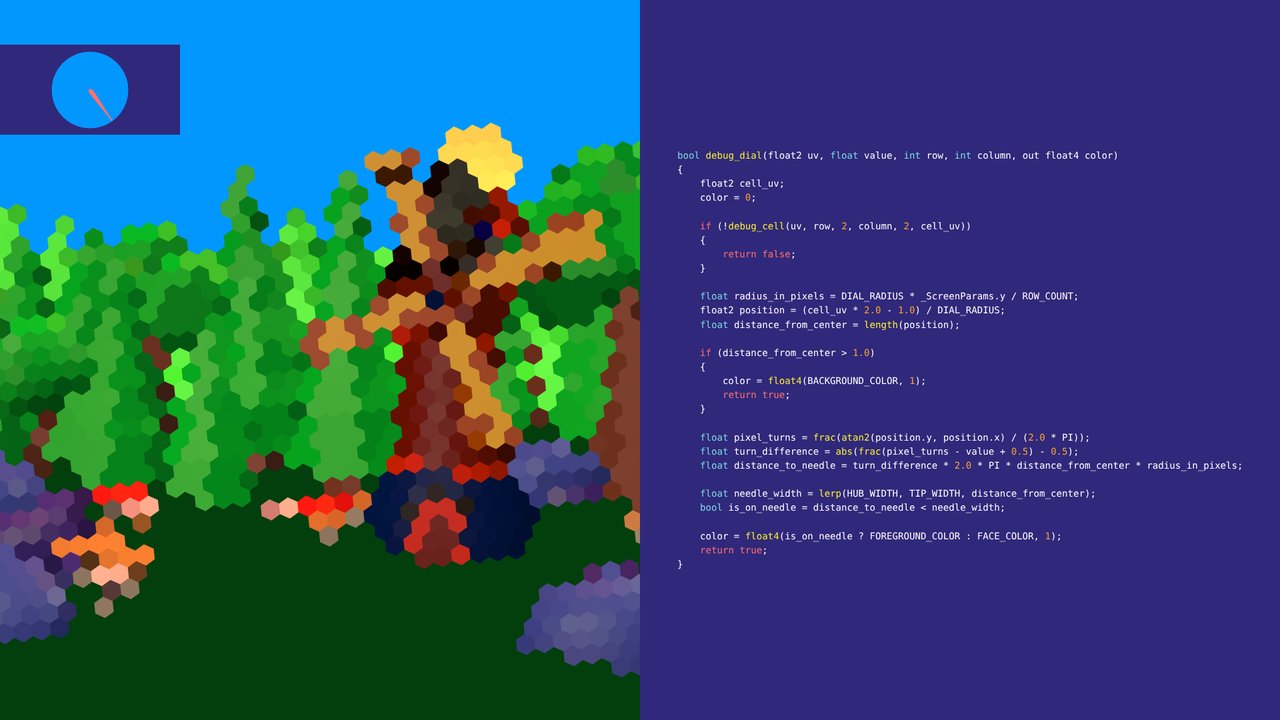
Un float como dial: el mismo ángulo, en vueltas.
A float as a dial: the same angle, in turns.
 14
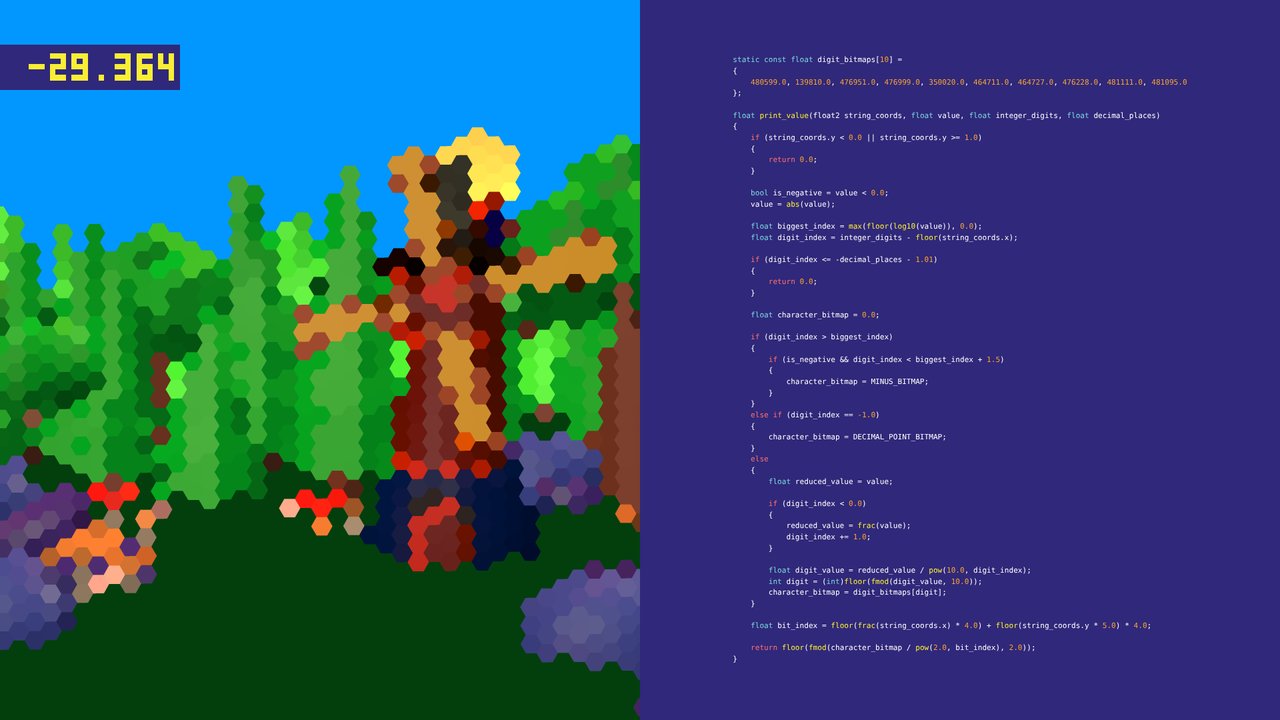
También podemos dibujar dígitos. Cada dígito es un bitmap de 4×5 guardado en un float; las líneas destacadas eligen el dígito y luego el bit para el píxel actual.
We can also draw digits. Each digit is a 4×5 bitmap stored in a float; the highlighted lines pick the digit and then the bit for the current pixel.
 15
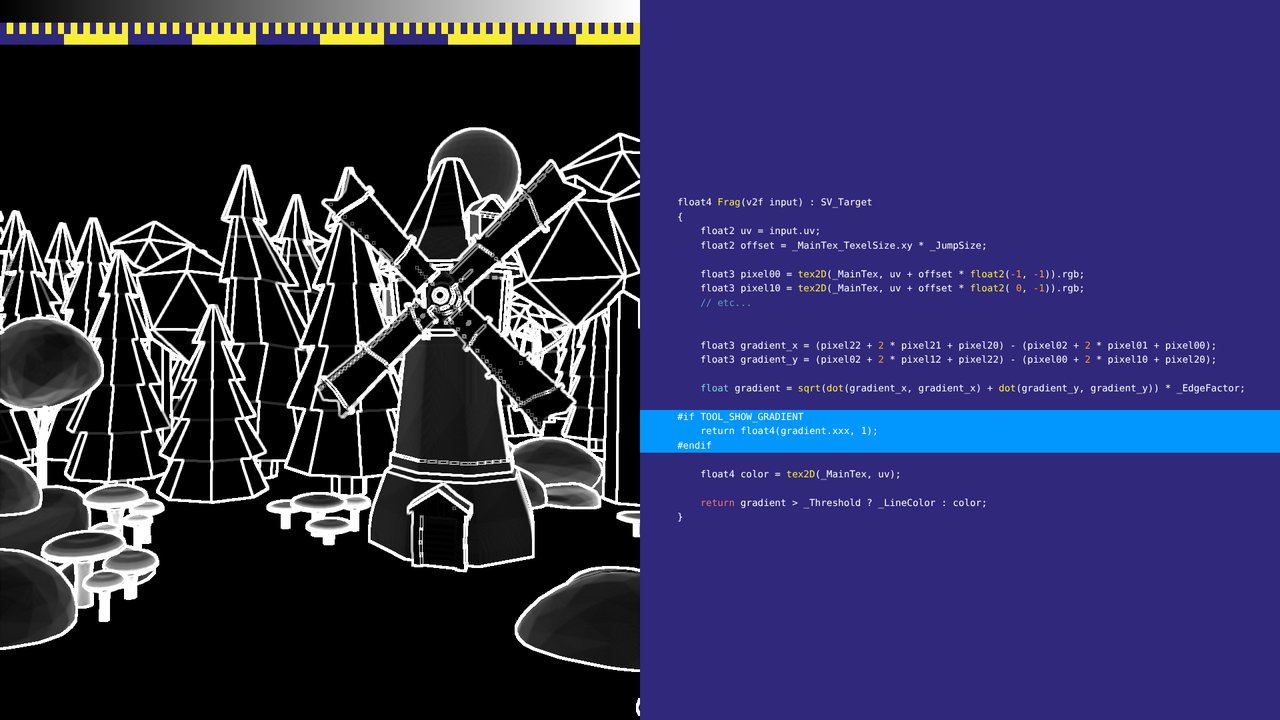
A veces basta con mostrar el valor por píxel en toda la pantalla.
Sometimes it is OK to display the value per pixel over the whole screen.
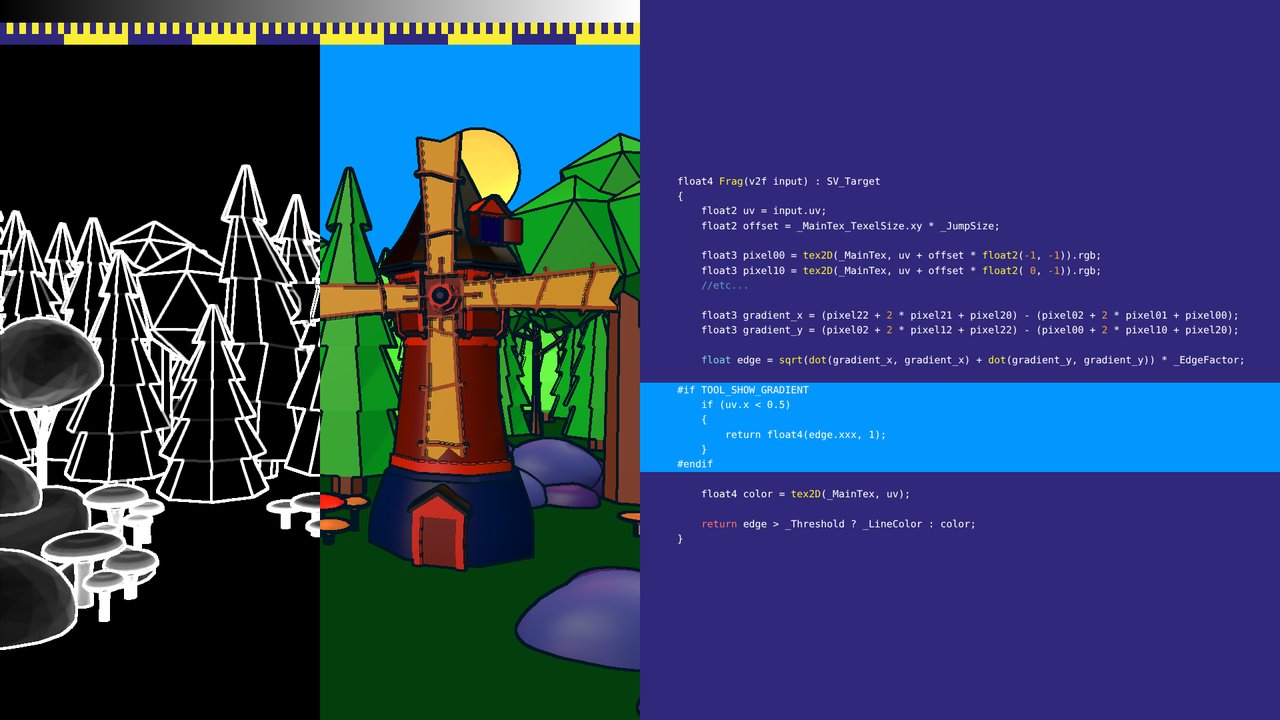 16
En los post-procesos, quizás quieras limitarlo a una parte de la pantalla para seguir viendo el efecto, o para mostrar más de un valor. Aquí la mitad izquierda muestra el valor de detección de bordes detrás del contorno.
For post processes, you may want to limit it to a specific part of the screen so you can still see the effect, or display more than one value. Here the left half shows the raw edge-detection value behind the outline effect.
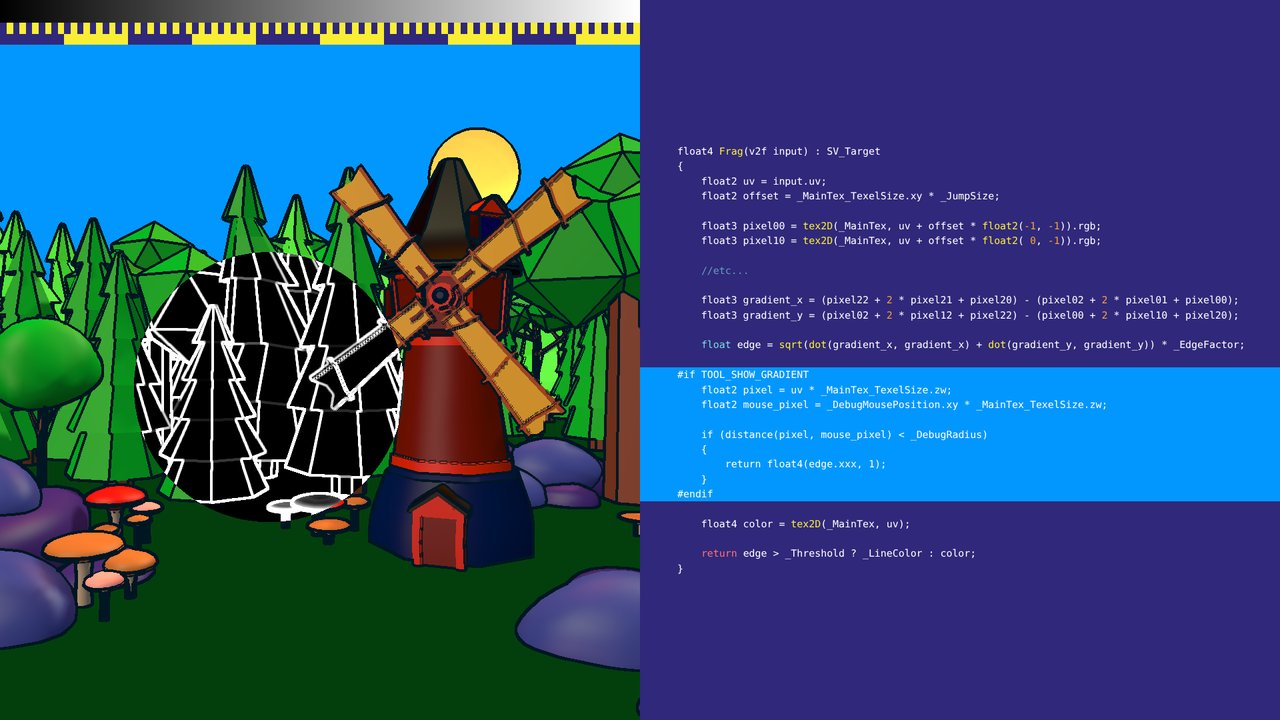 17
O solo alrededor del mouse.
Or only around the mouse.
 18
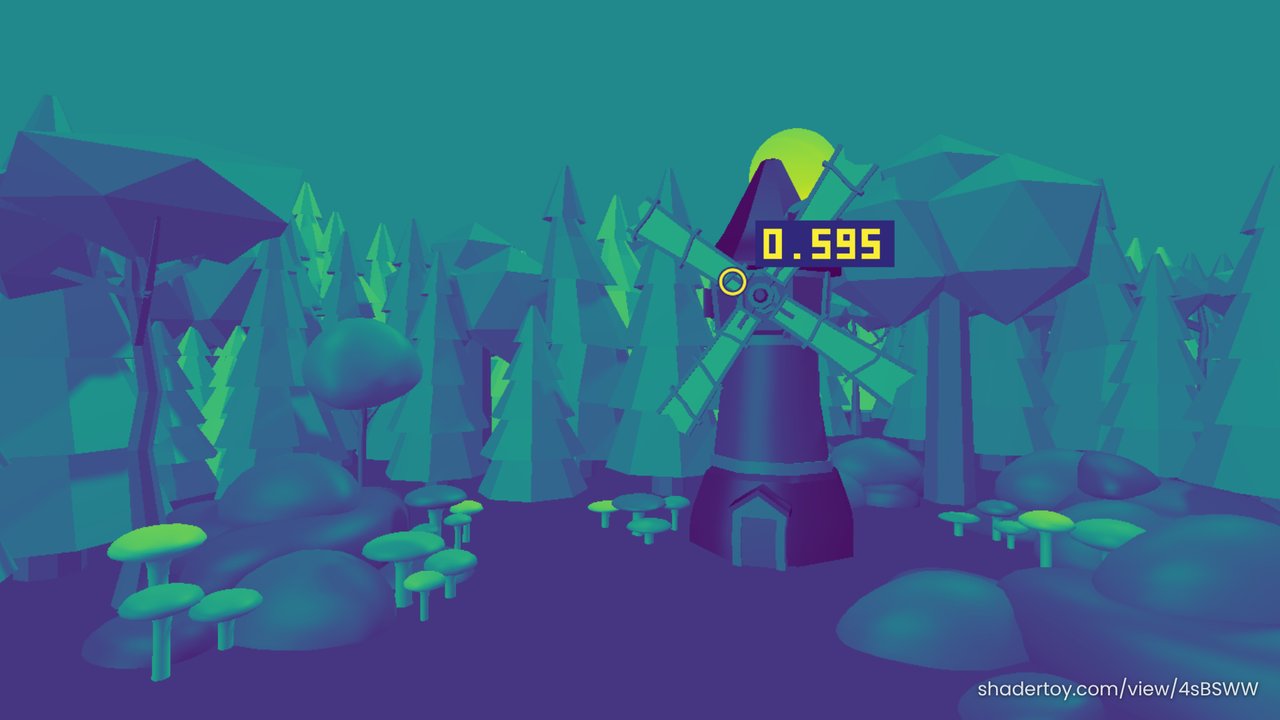
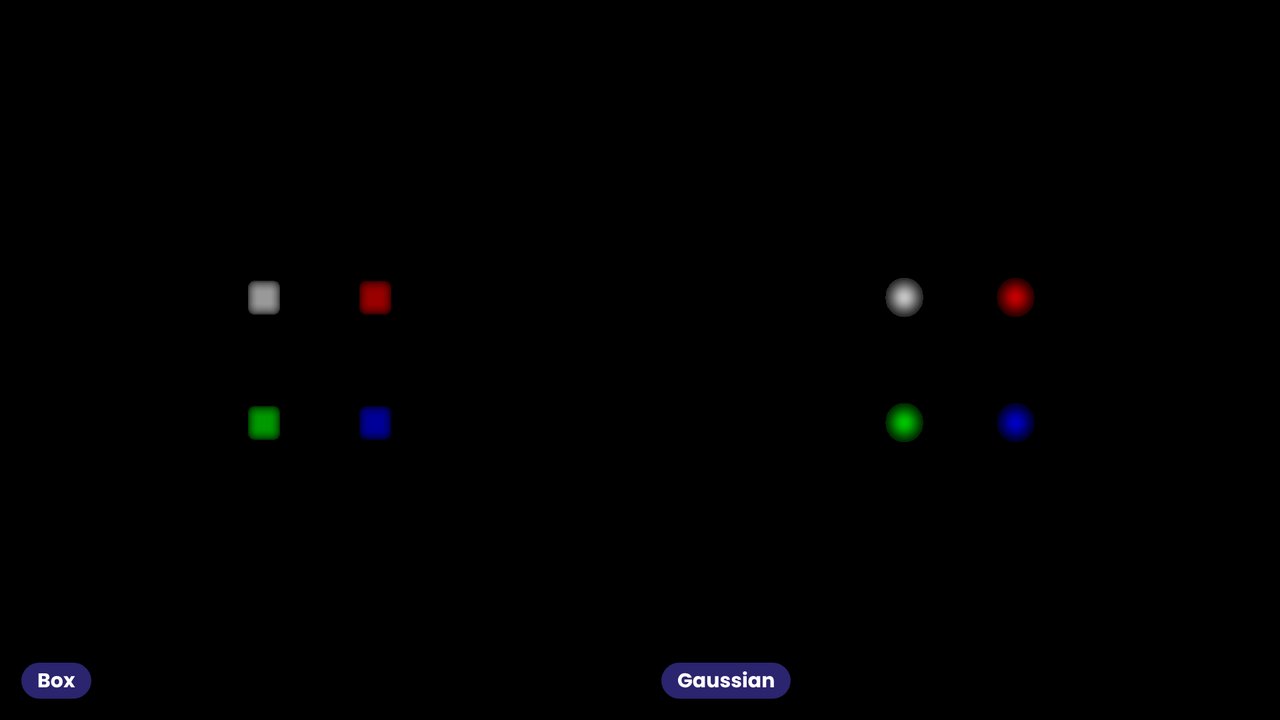
Dibujar números directamente en el shader (shadertoy.com/view/4sBSWW). La sonda recorre la escena (luminancia con Viridis) e imprime el valor bajo ella; en la presentación sigue al mouse.
Rendering actual digits in the shader (shadertoy.com/view/4sBSWW). The probe moves over the scene (luminance shown with Viridis) and prints the value under it; in the presentation it follows the mouse.
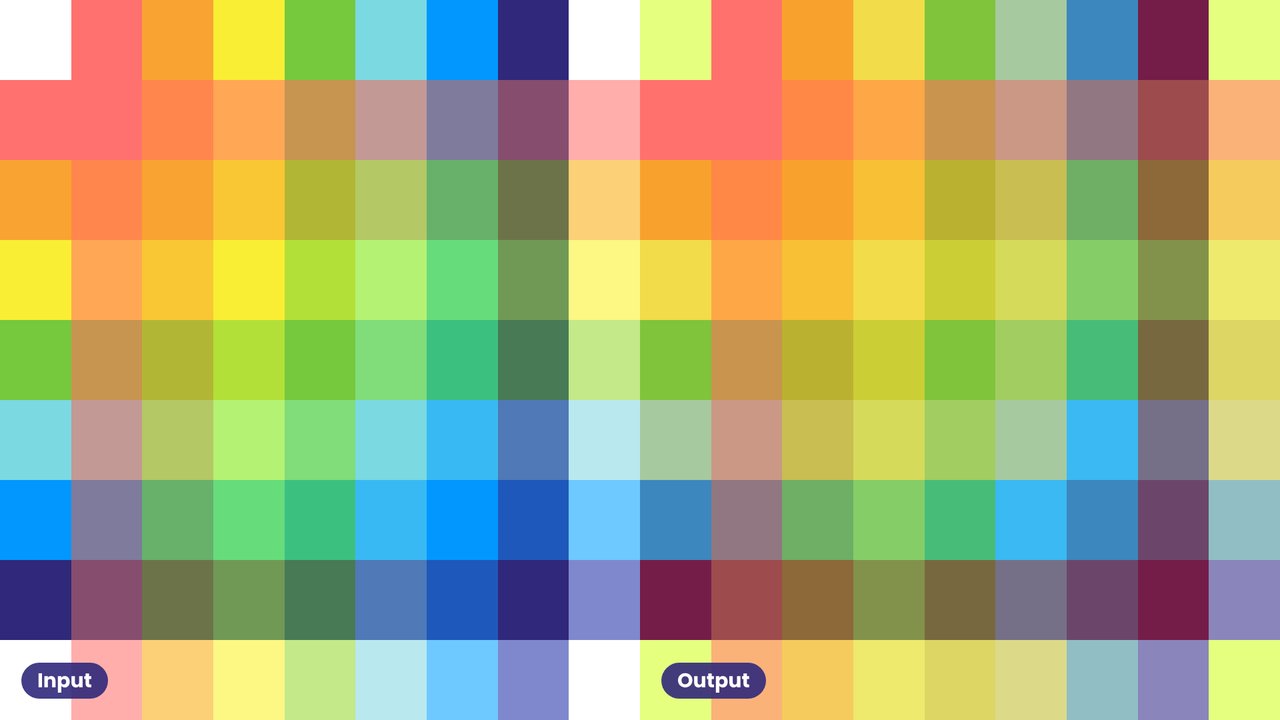
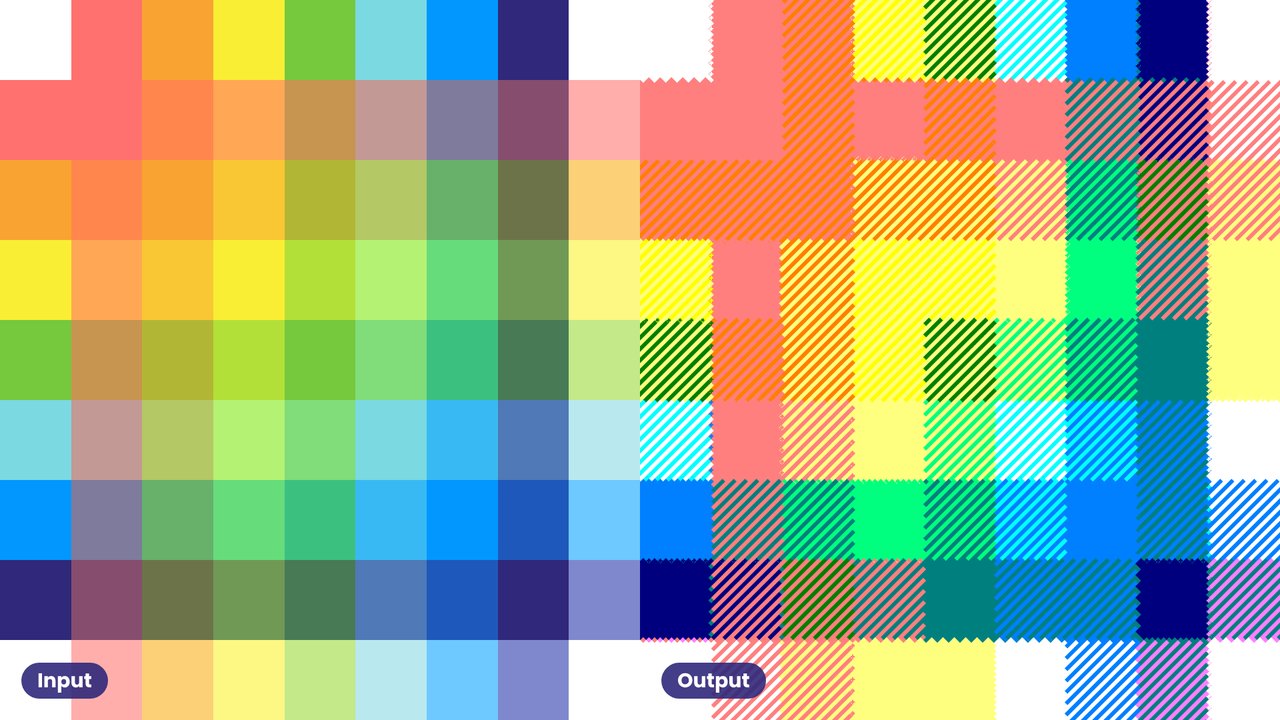
 19
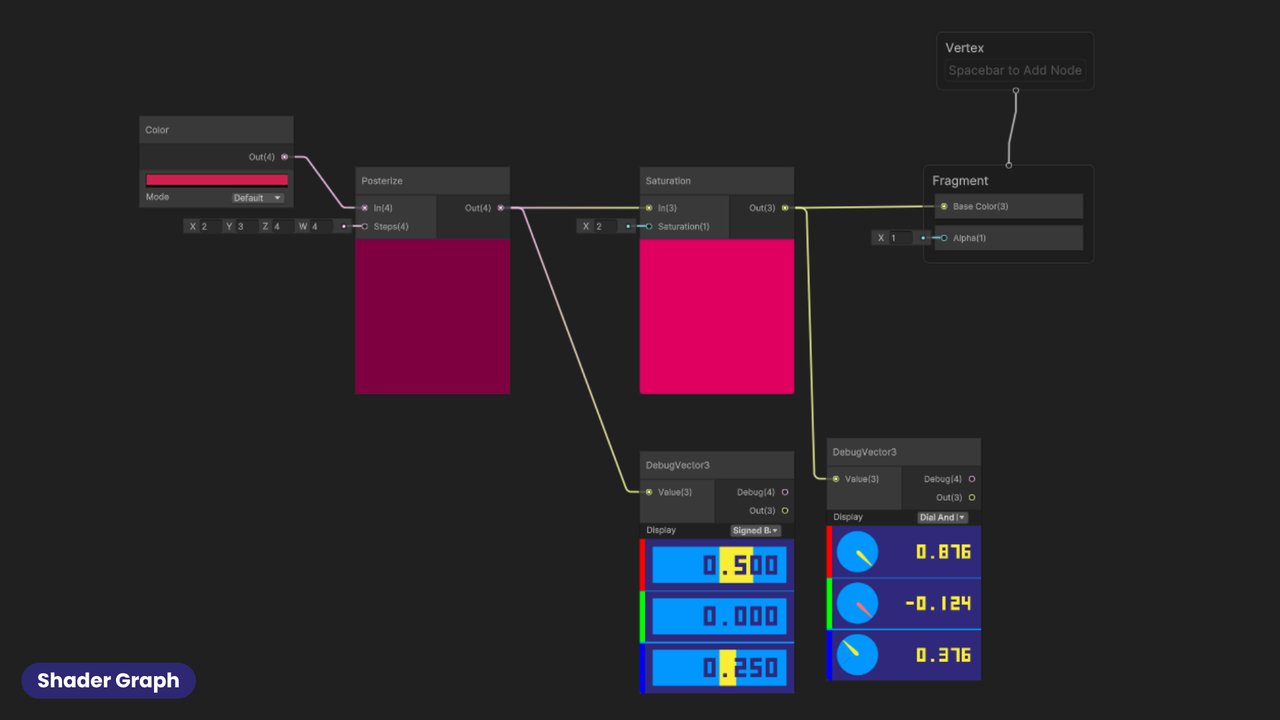
Lo mismo en Shader Graph: gist.github.com/aras-p/657a4947bb8a4549fda53a84bb91fb25
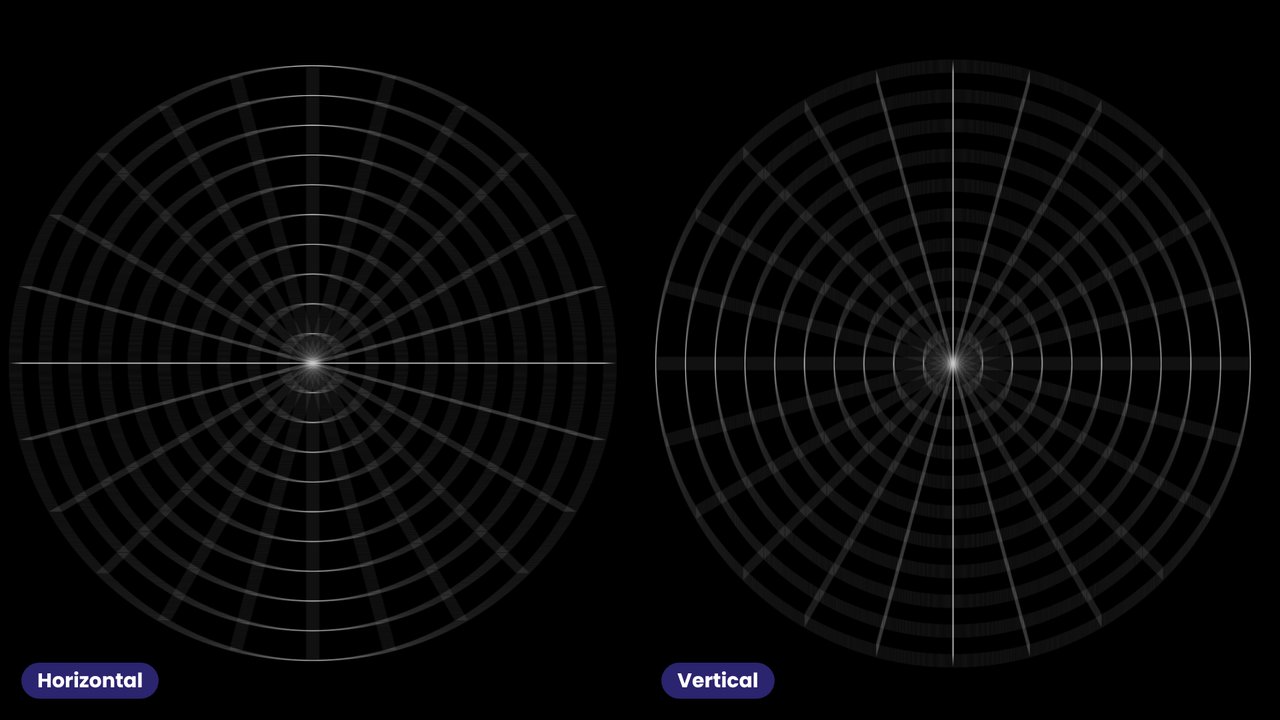
The same in Shader Graph: gist.github.com/aras-p/657a4947bb8a4549fda53a84bb91fb25
 20
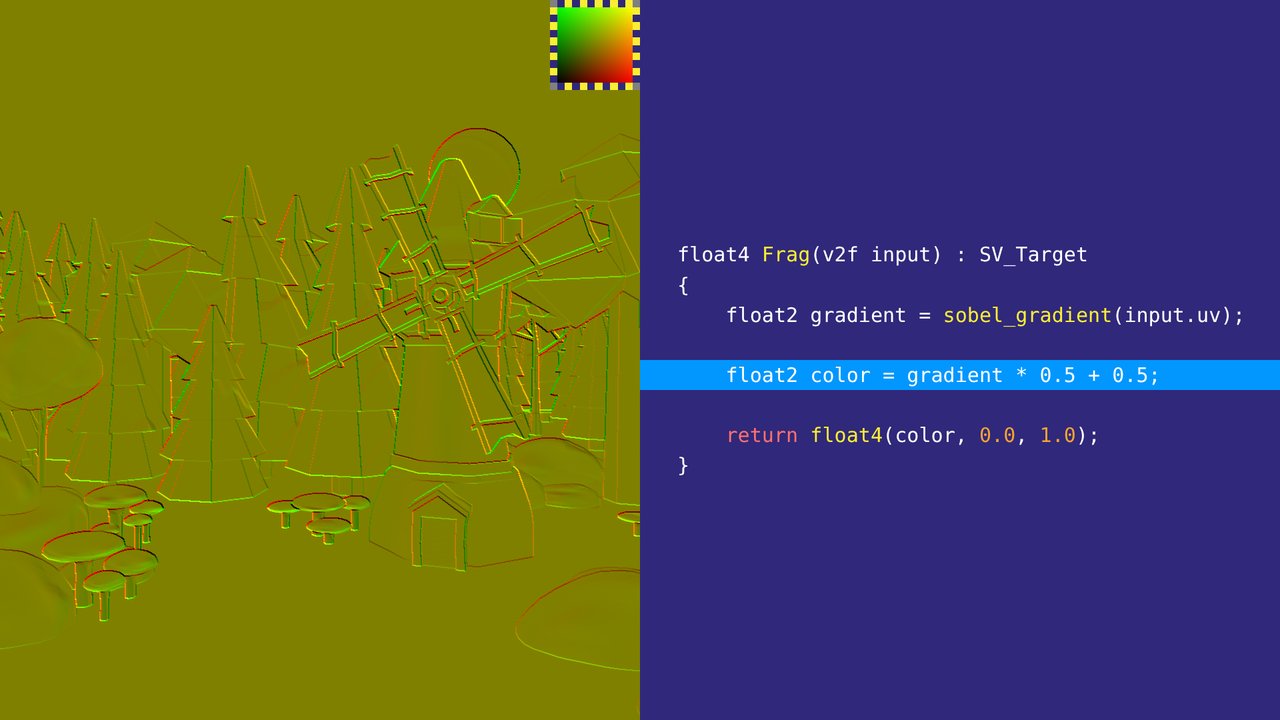
Vectores 2D como color: el gradiente del efecto Flow Blur en rojo y verde, de −1..1 a 0..1.
2D vectors as colour: the gradient of the Flow Blur effect in red and green, mapped from −1..1 to 0..1.
 21
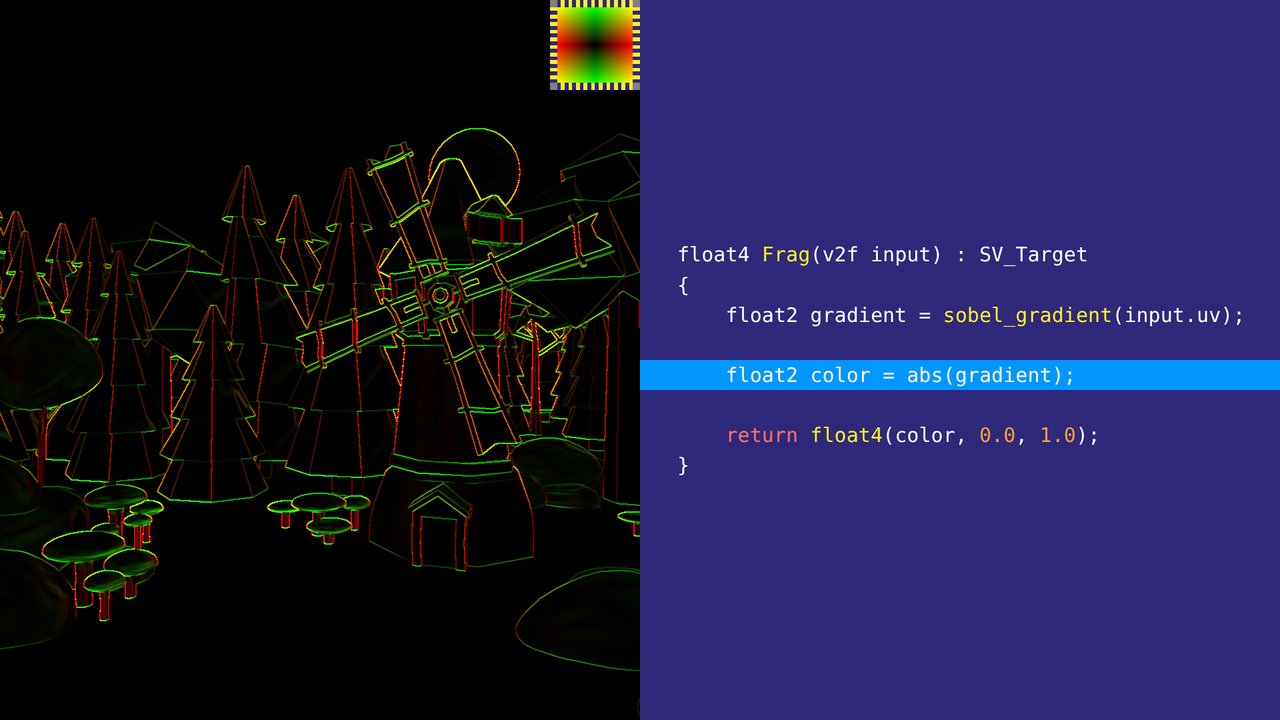
El valor absoluto: más fácil de leer, pero se pierde el signo.
The absolute value: easier to read, but the sign is lost.
 22
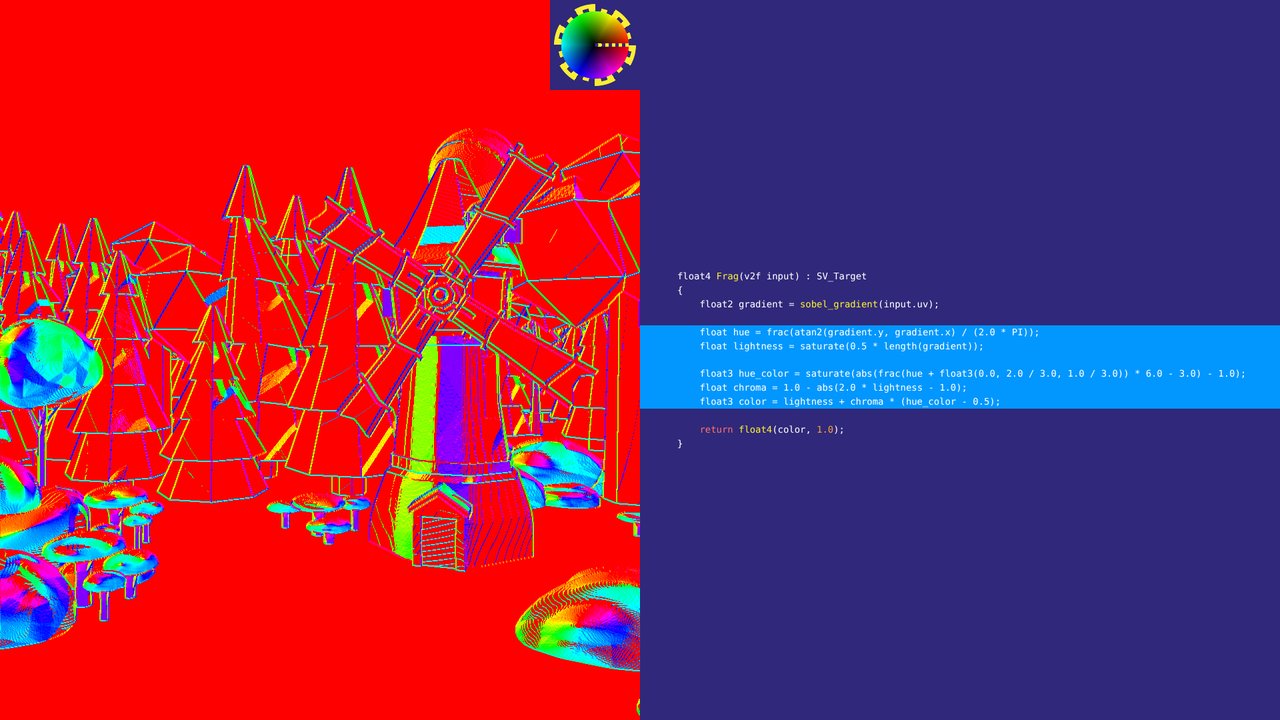
Ángulo como tono y magnitud como luminosidad. Para ángulos, un mapa cíclico es mejor.
Angle as hue and magnitude as lightness. For angles, a cyclic map is better.
 23
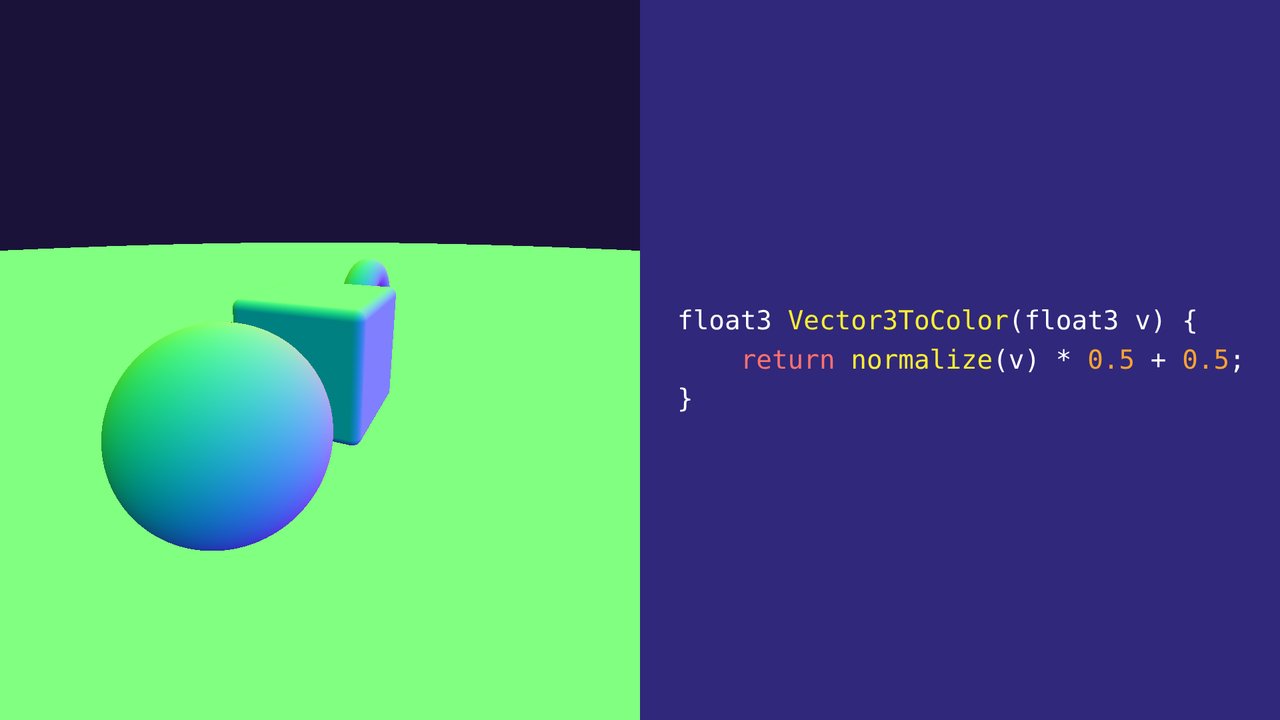
Vectores 3D como color: el vector normalizado, de −1..1 a 0..1.
3D vectors as colour: the normalized vector, mapped from −1..1 to 0..1.
 24
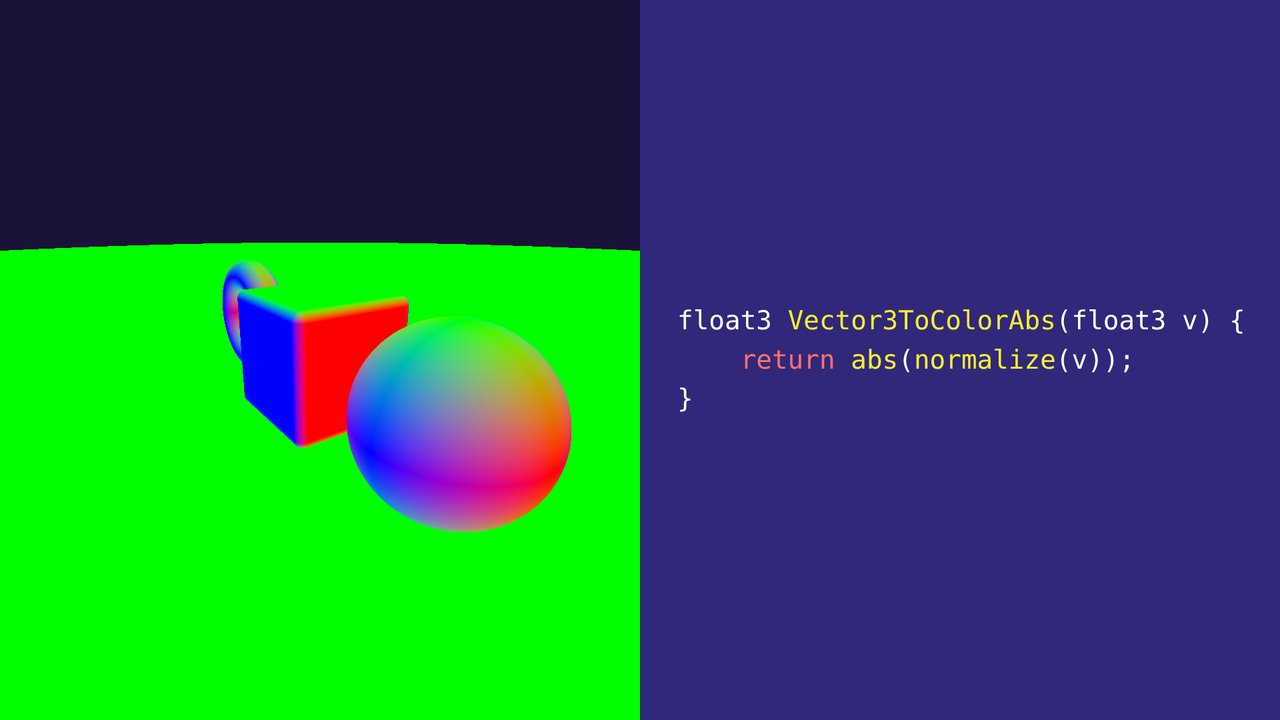
Y su valor absoluto.
And its absolute value.
 25
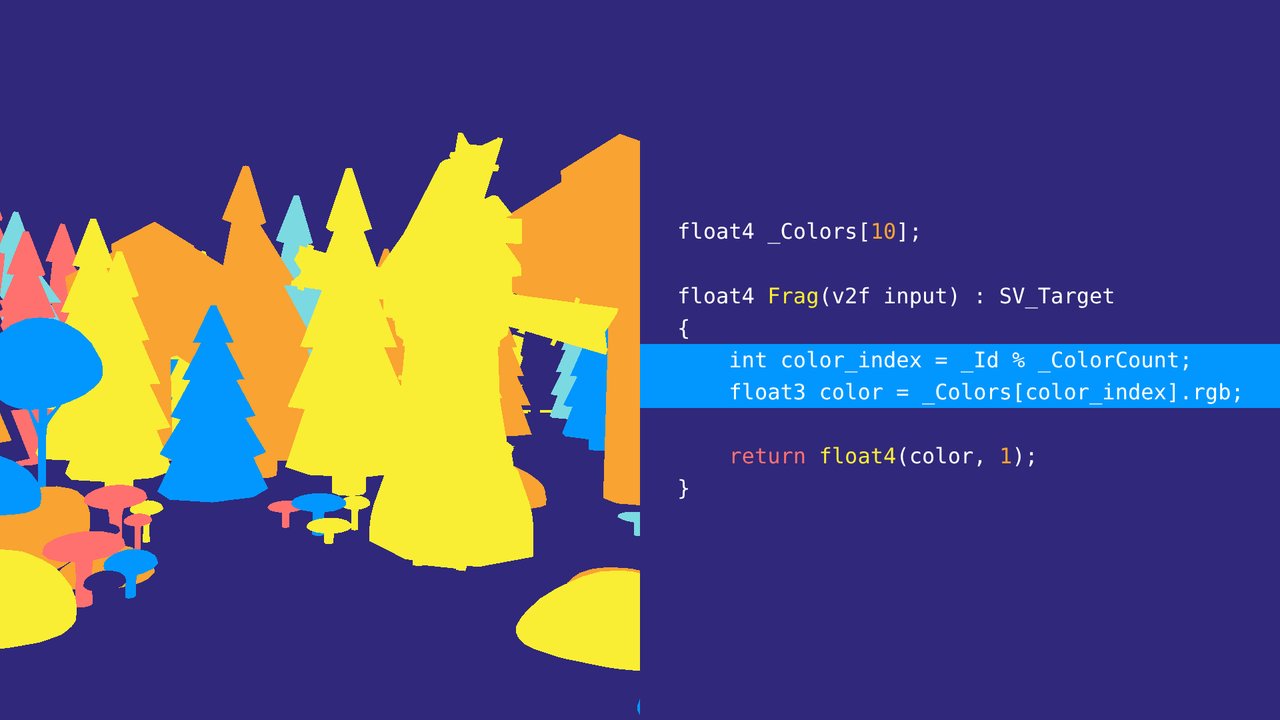
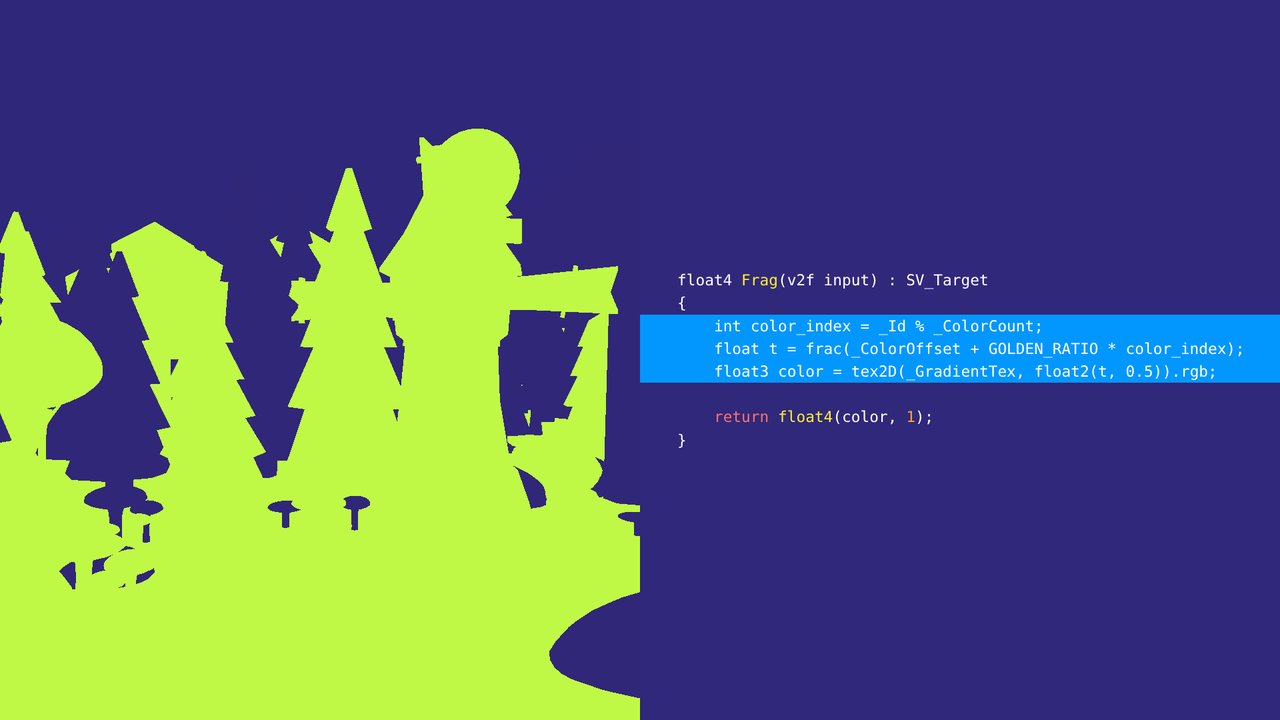
Valores discretos, como IDs de objetos: una paleta. Con solo cuatro colores, IDs vecinos a menudo comparten color.
Discrete values, like object IDs: a palette. With only four colours, neighbouring IDs often share a colour.
 26
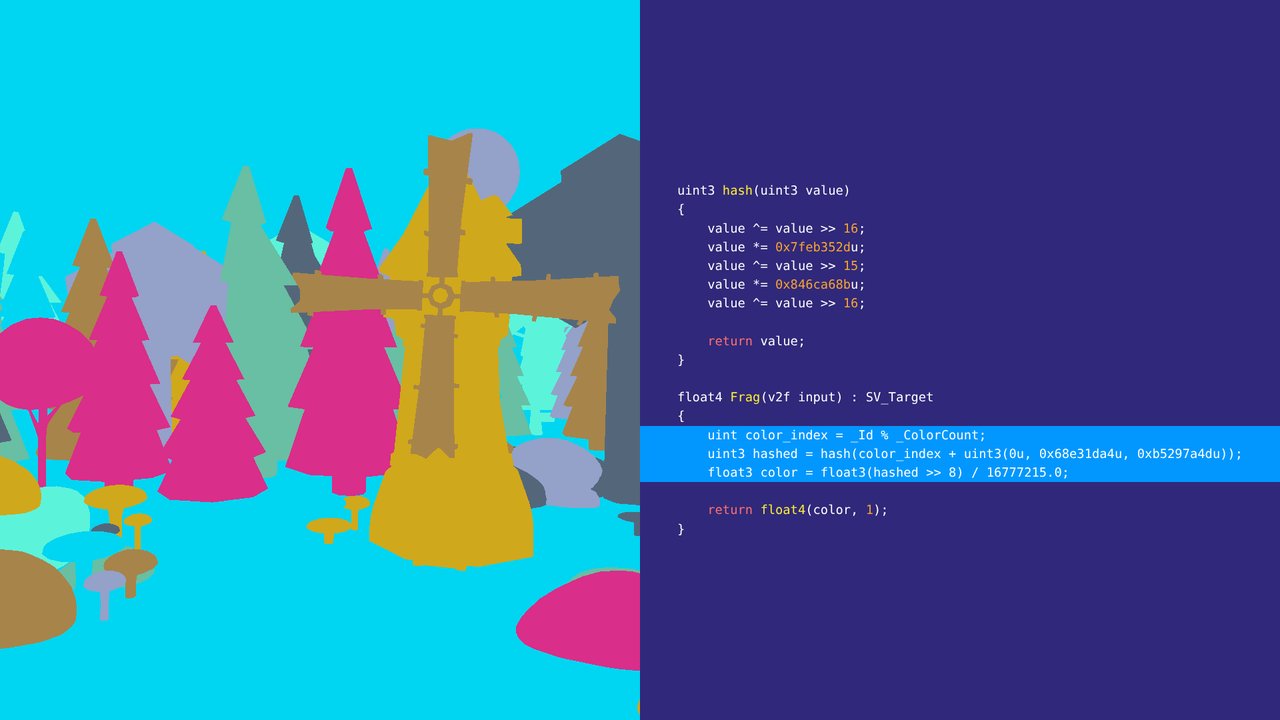
Un hash del ID da colores bien repartidos sin necesidad de una paleta.
Hashing the ID gives well-spread colours without needing a palette.
 27
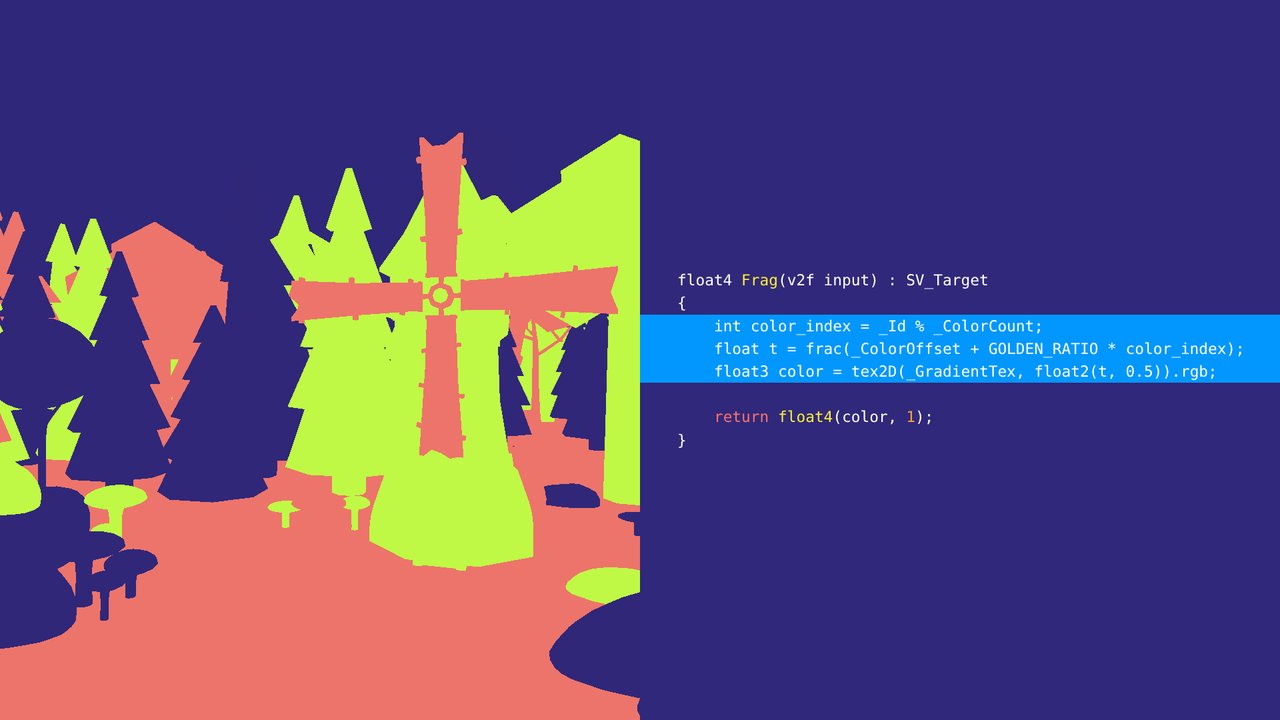
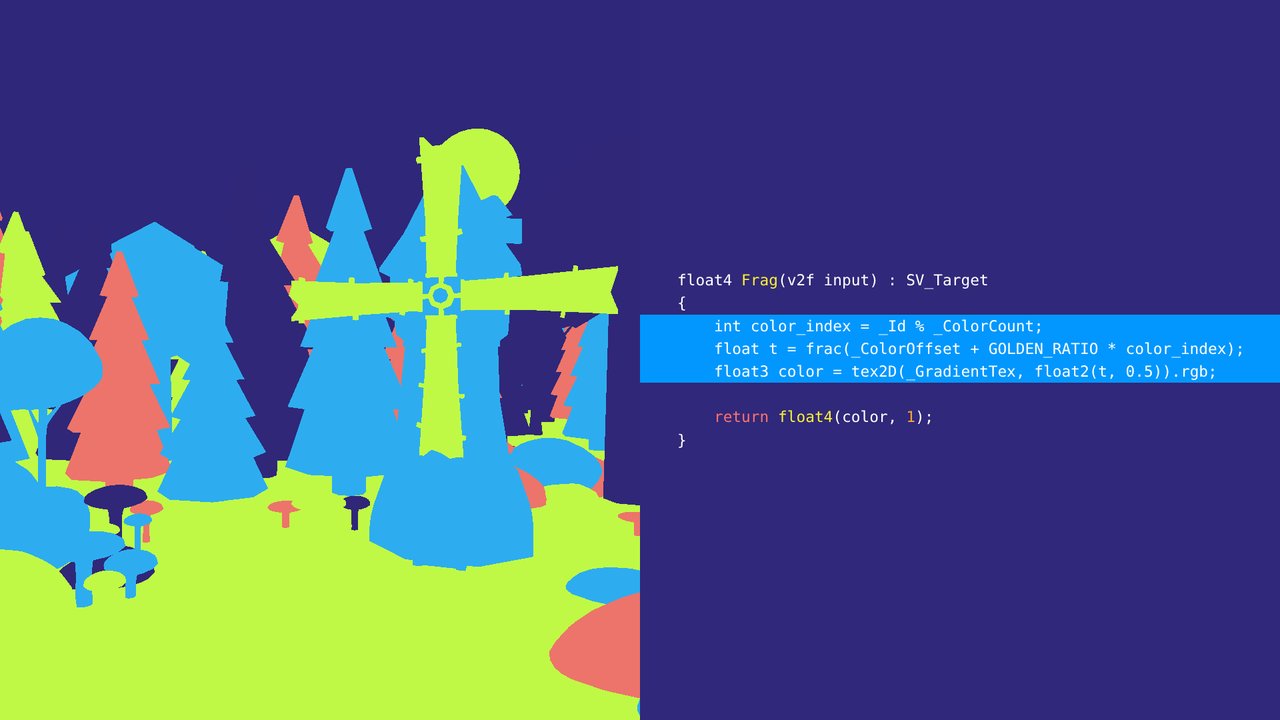
El truco de la razón áurea: cada nuevo ID cae en el hueco más grande que dejaron los anteriores, así que IDs vecinos siempre tienen colores distintos.
The golden ratio trick: each new ID lands in the biggest gap left by the previous ones, so neighbouring IDs always get distinct colours.
 28
Con tres IDs.
With three IDs.
 29
Con cuatro IDs.
With four IDs.
 30
Con cinco IDs.
With five IDs.
 31
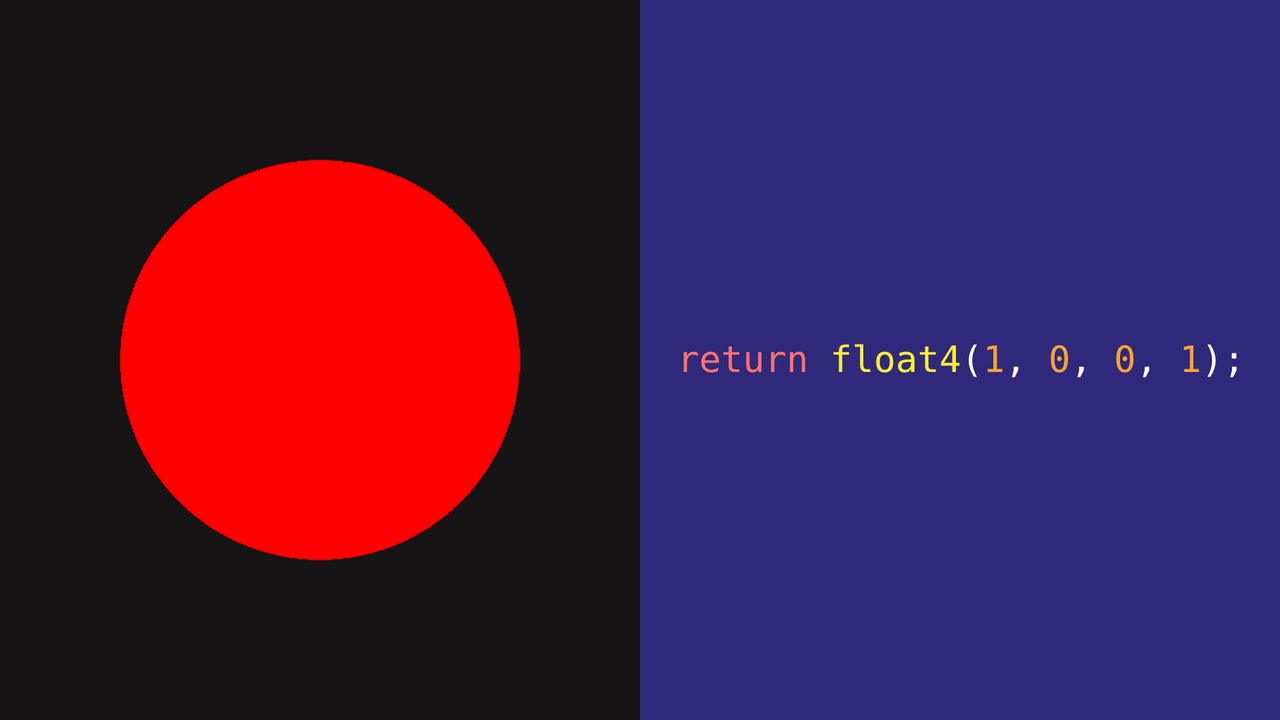
Una cosa importante antes de seguir: siempre debemos estar seguros de que la pipeline de renderizado está funcionando, para no cambiar código de GPU cuando el problema está en la CPU. Para eso podemos devolver un color plano y así saber que el retorno del shader está llegando.
One important thing before we go on: we should always make sure the rendering pipeline is working, so we don't change GPU code when the problem is on the CPU. For that we can return a flat colour, so we at least know the shader's output is getting through.
 32
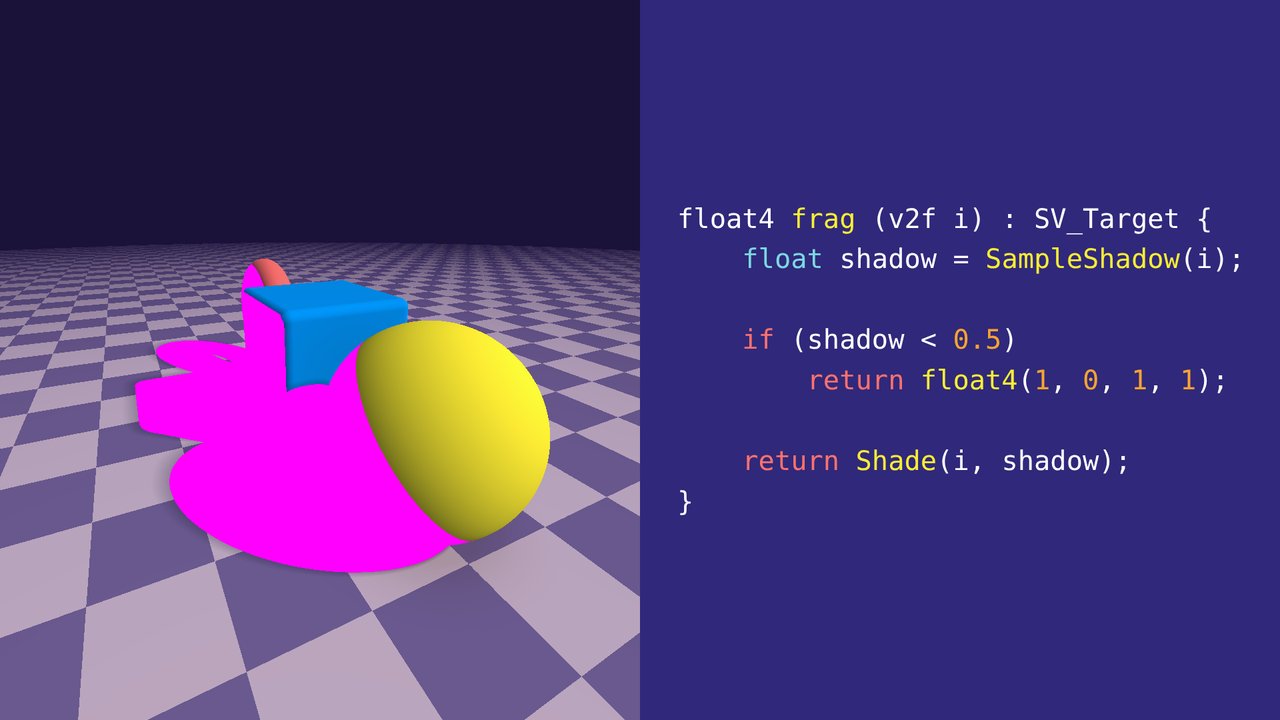
Ese retorno puede ser usado en otras ocasiones, por ejemplo dentro de un if como early return para saber que el código llega hasta allí.
That return can be used in other situations too, for example inside an if as an early return to know the code gets that far.
 33
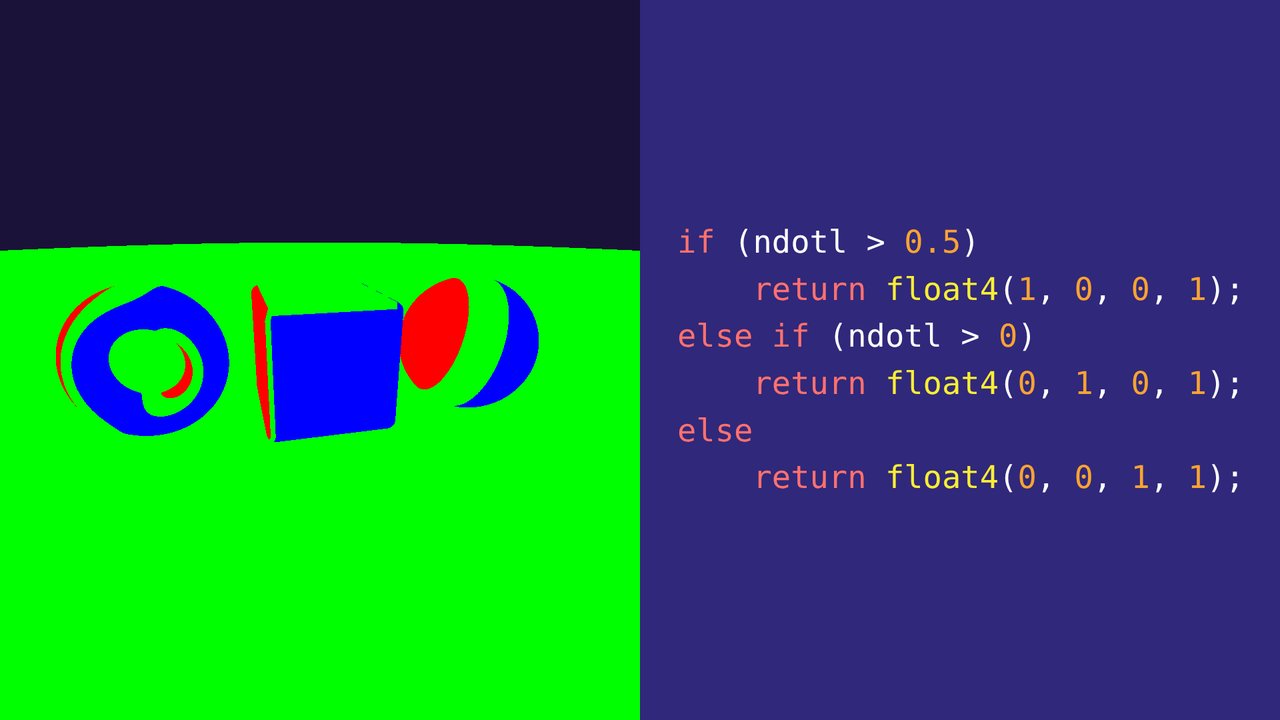
También podemos poner colores por ramas para saber cuál se ejecuta.
We can also return a colour per branch to see which one runs.
 34
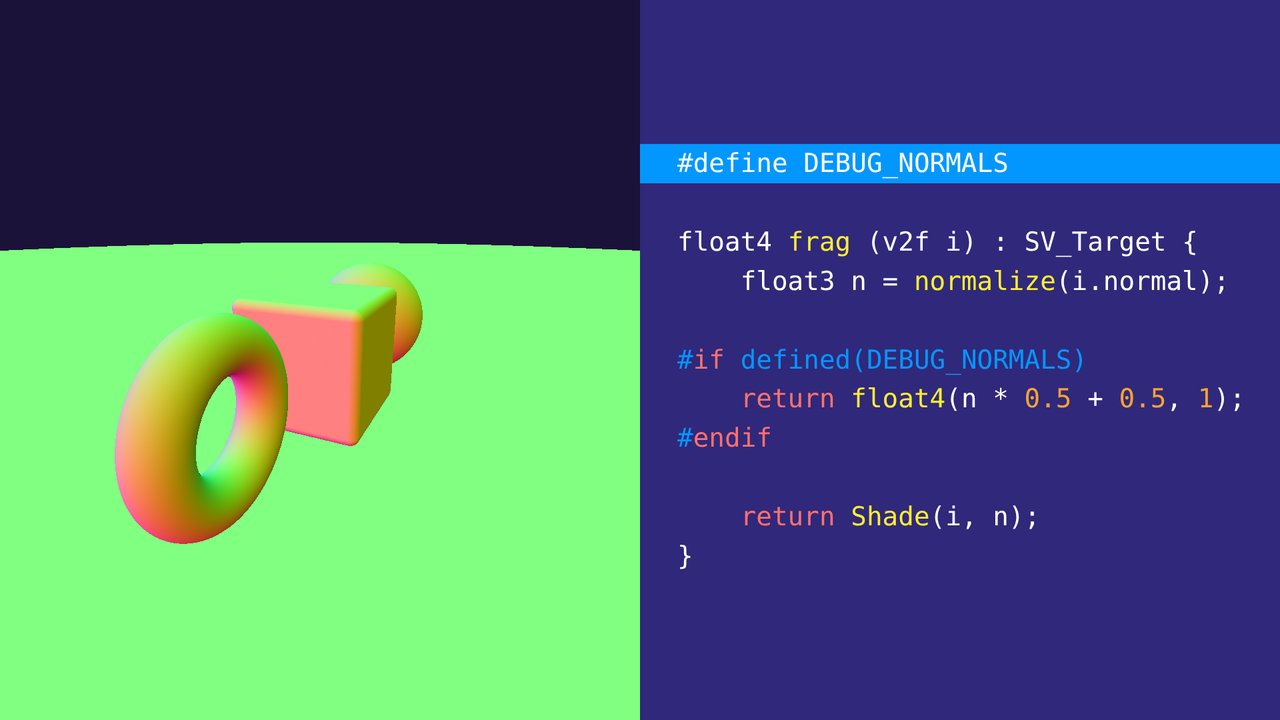
Por último, podemos usar las definiciones de preprocesador para habilitar y deshabilitar secciones completas de código.
Finally, we can use preprocessor defines to enable and disable whole sections of code.
 35
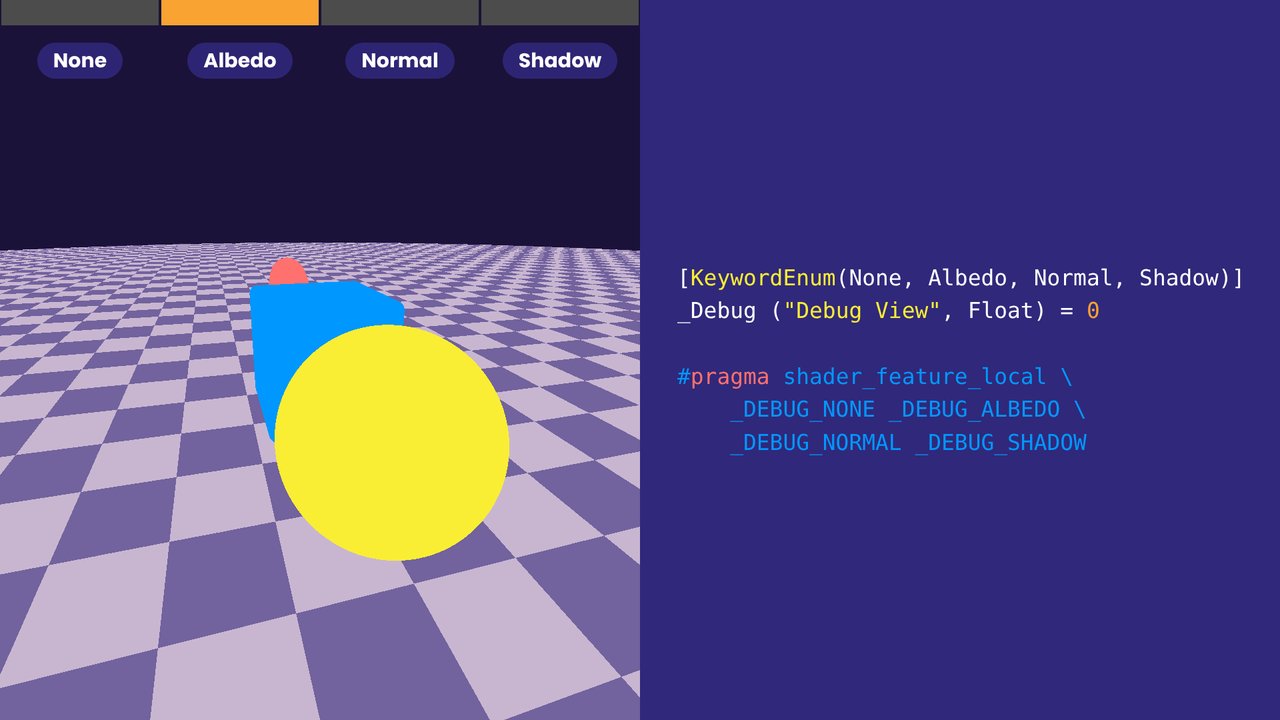
Con shader_feature_local y un KeywordEnum podemos cambiar la vista de debug directamente desde el material, sin tocar el código. La demo recorre las cuatro vistas.
With shader_feature_local and a KeywordEnum we can switch the debug view straight from the material, without touching the code. The demo cycles through the four views.
 36
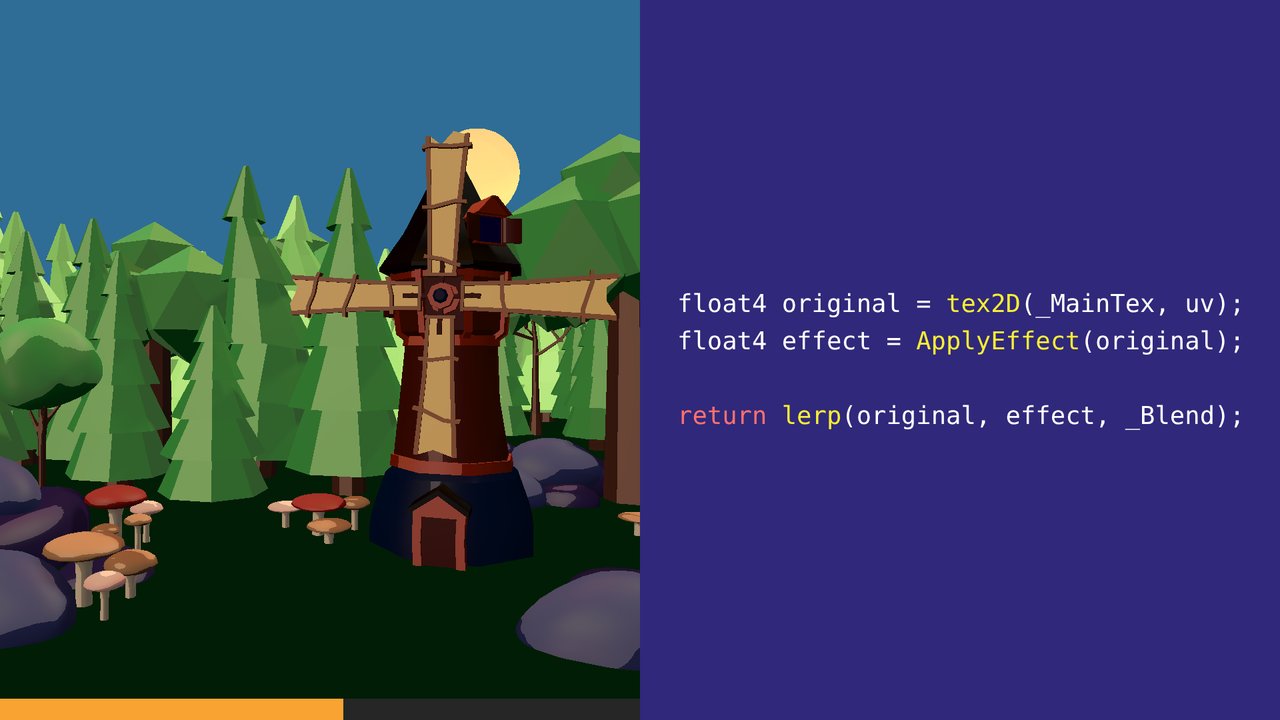
También podemos usar la función lerp para ver un antes y después de la imagen, con un parámetro de intensidad de 0 a 1. La barra de abajo muestra el valor de _Blend.
We can also use the lerp function to see a before and after of the image, with an intensity parameter from 0 to 1. The bar at the bottom shows the value of _Blend.
 37
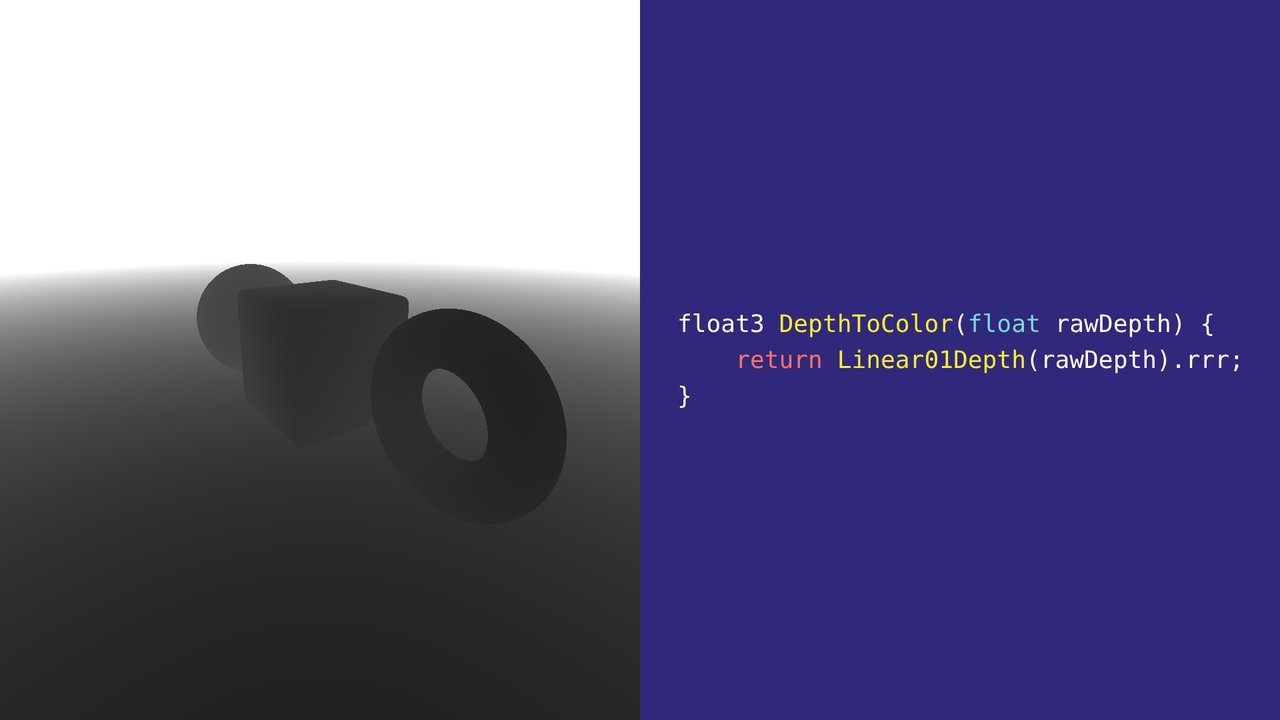
Ver la imagen por canales RGBA y hacer swizzling para ver floats como color; aquí la profundidad con depth.rrr.
Look at the image channel by channel (RGBA) and use swizzling to see floats as colour; here depth, with depth.rrr.
 38
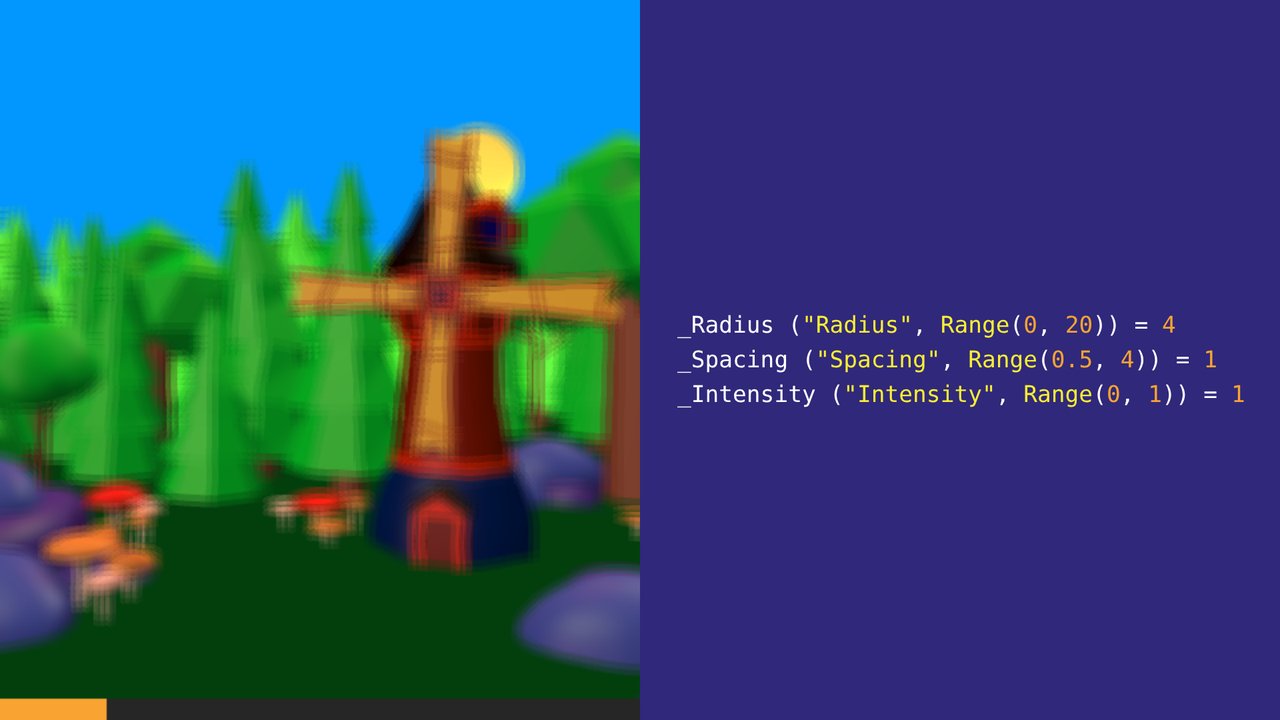
La idea es parametrizar lo más posible para entender cómo se comporta cada parte del código. Luego estos parámetros se pueden quitar. En la demo, la barra muestra _Radius.
The idea is to parametrize as much as possible to understand how each part of the code behaves. These parameters can be removed later. In the demo, the bar shows _Radius.
 39
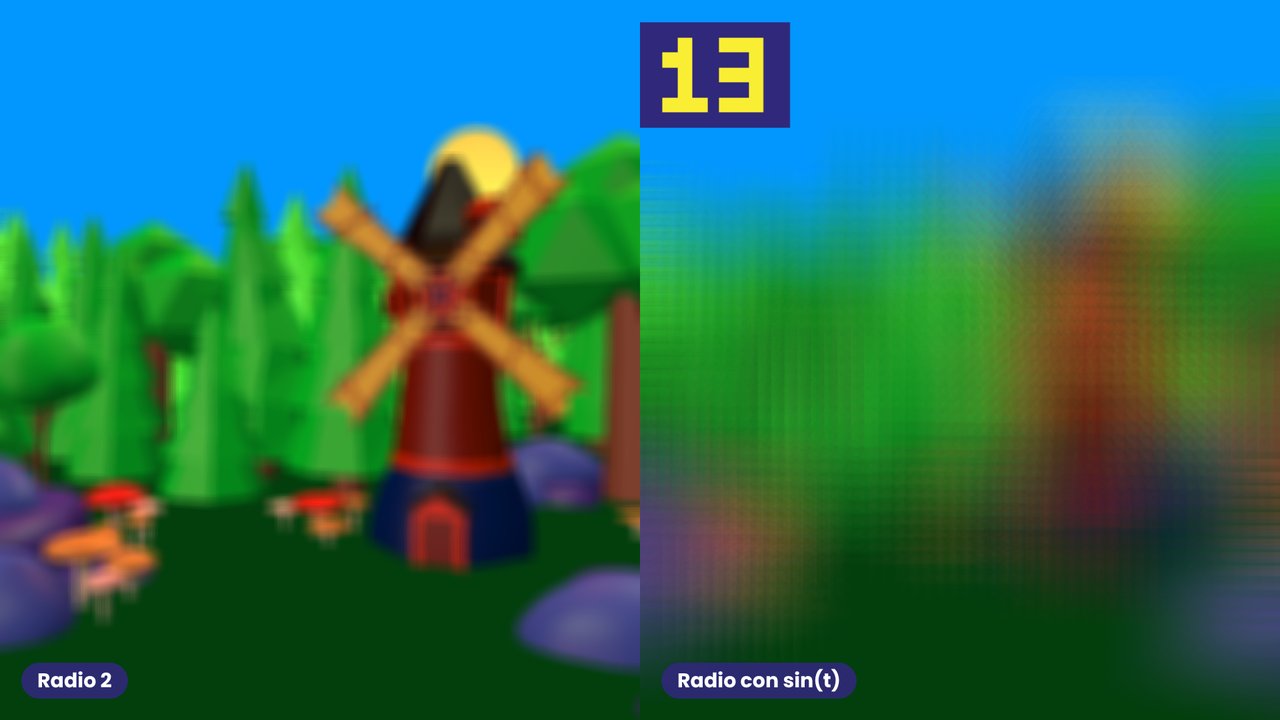
Otra cosa que podemos hacer para depurar es exagerar los efectos que estamos aplicando, como ponerles un blur muy fuerte para descubrir artefactos. El radio de la derecha oscila con un seno entre 2 y 40: con radios grandes, el muestreo deja copias fantasma.
Another thing we can do to debug is to exaggerate the effects we apply, for example a very strong blur to uncover artefacts. The radius on the right swings with a sine between 2 and 40: with large radii, the sampling leaves ghost copies.
 40
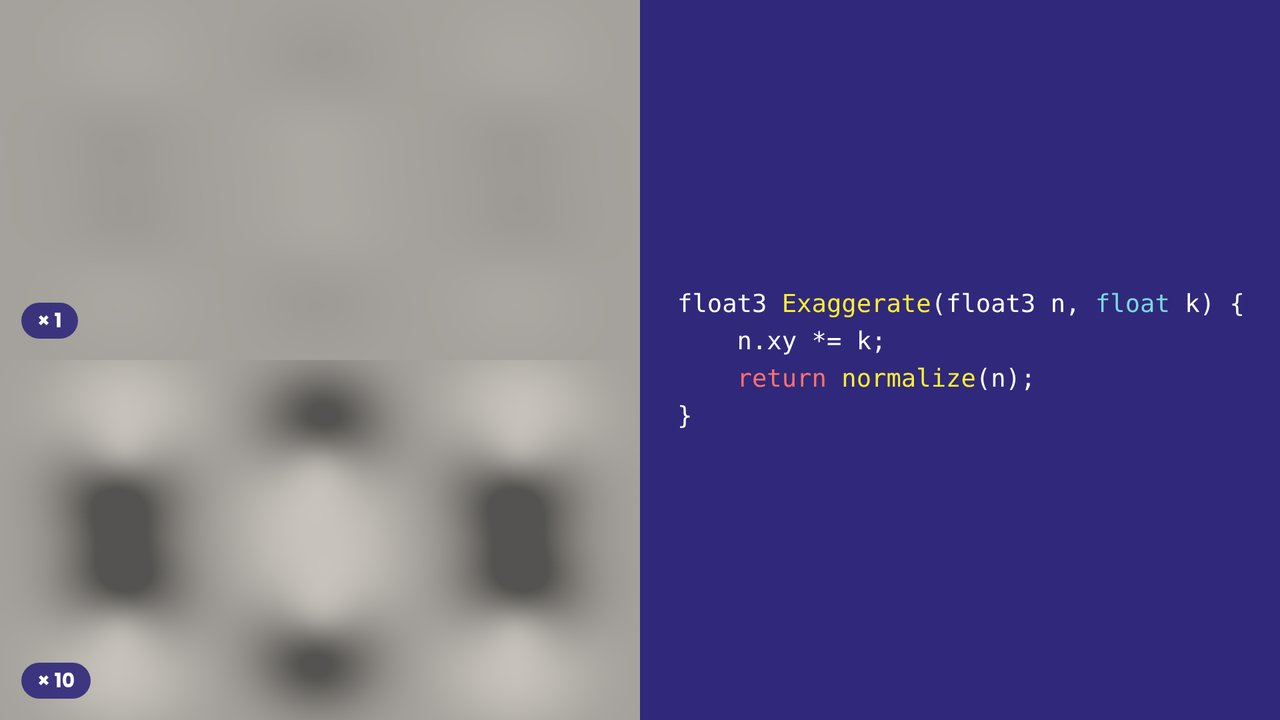
O escalar números para ver cómo se comportan en casos extremos. Está hundido o elevado?
Or scale numbers to see how they behave in extreme cases. Is it sunken or raised?
 41
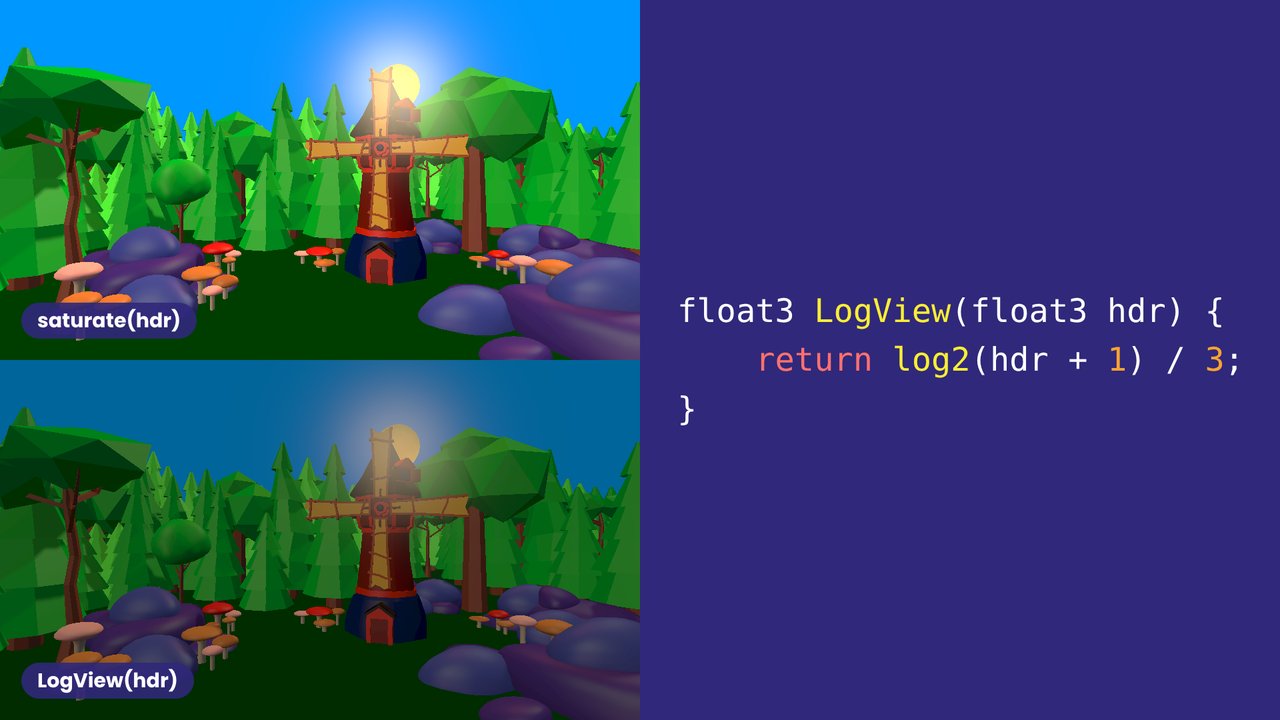
Finalmente, podemos usar exp y log para visualizar versiones atenuadas de nuestro efecto. A la izquierda, el sol se ve como un disco blanco; a la derecha se ve cómo cambia su intensidad.
Finally, we can use exp and log to see attenuated versions of our effect. On the left the sun is just a white disc; on the right you can see how its intensity changes.
 42
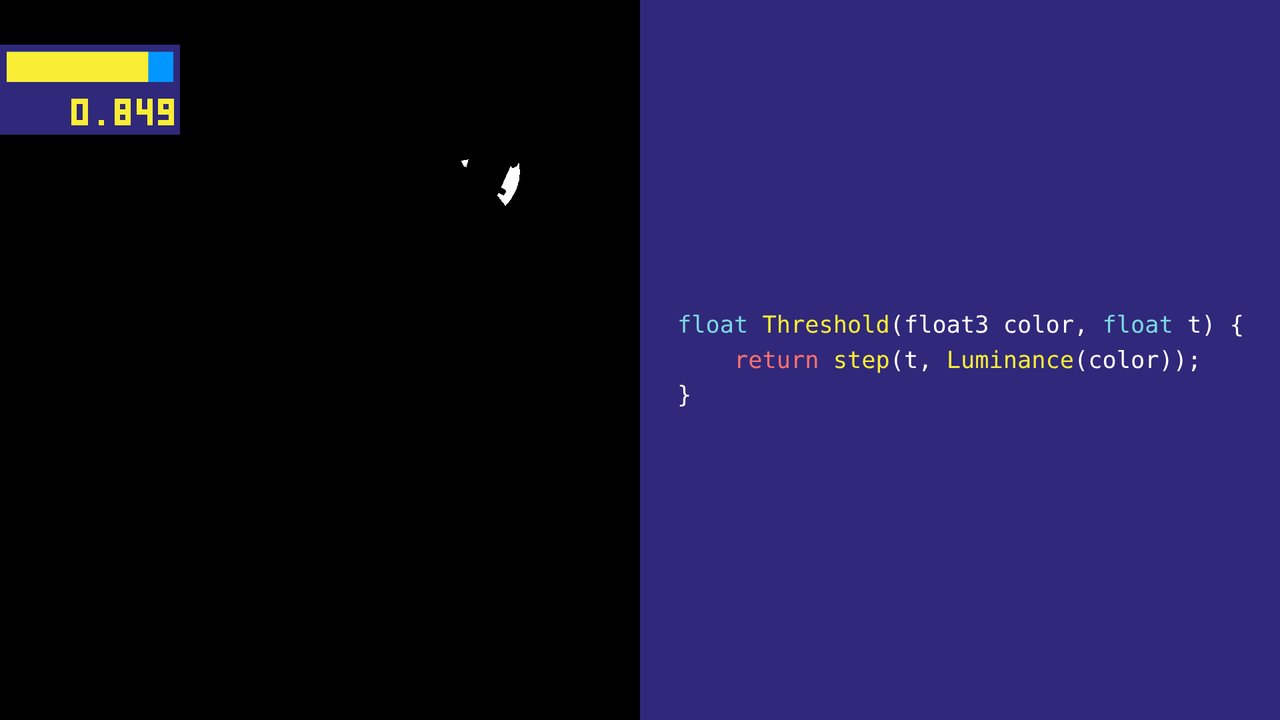
Usar valores estáticos a menudo esconde problemas, así que ver cómo se comporta un shader con un rango de valores es muy valioso. Por ejemplo, quizás no sepas dónde poner un umbral, o cómo se comporta el shader en los extremos. Lo más simple es dejar que el usuario cambie el valor en el inspector o con una interfaz en el juego.
Using static values often hides issues, so seeing how a shader behaves with a spread of values is very valuable. For example, you may not know where a good place for a threshold is, or how the shader behaves in extremes. The simplest way is to allow the user to change the value in the inspector or with in-game UI.
 43
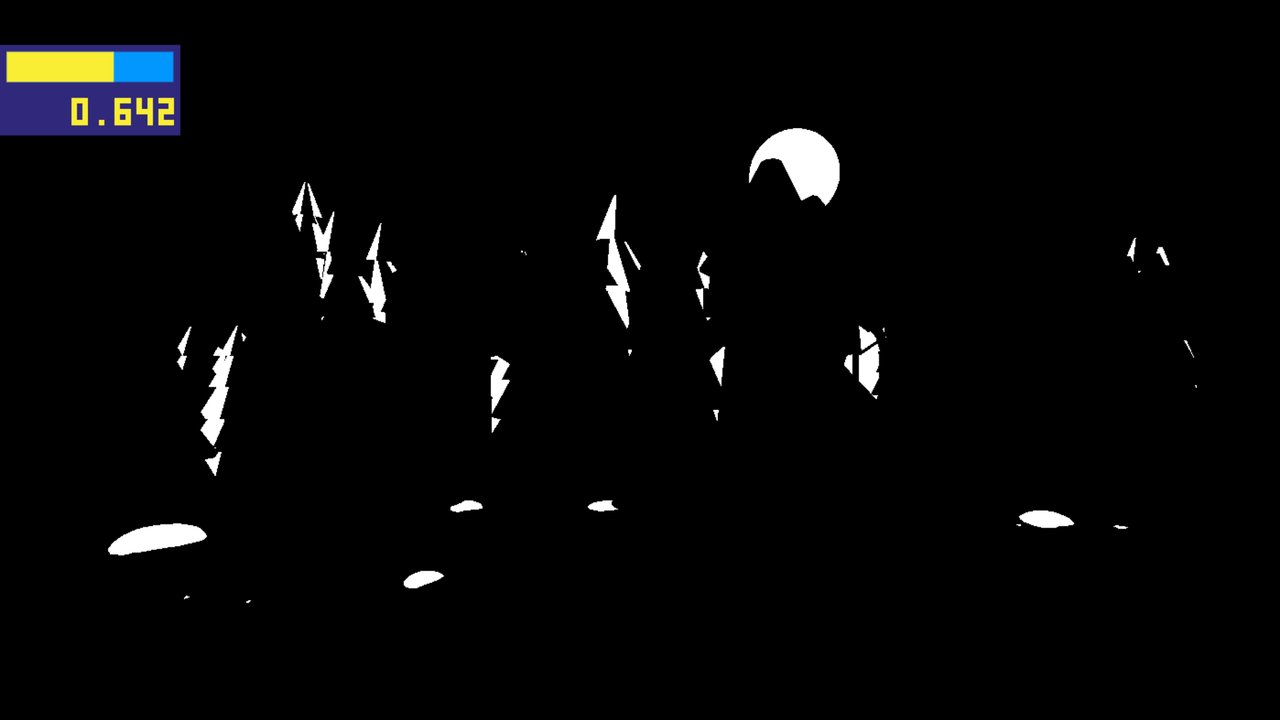
En algunos casos no tendrás las manos libres para mover el slider; entonces puedes animarlo con la variable de tiempo. La barra y los dígitos muestran el umbral actual.
In some cases you may not have your hands free to adjust the slider, in which case you can animate it using the time variable instead. The bar and digits show the current threshold.
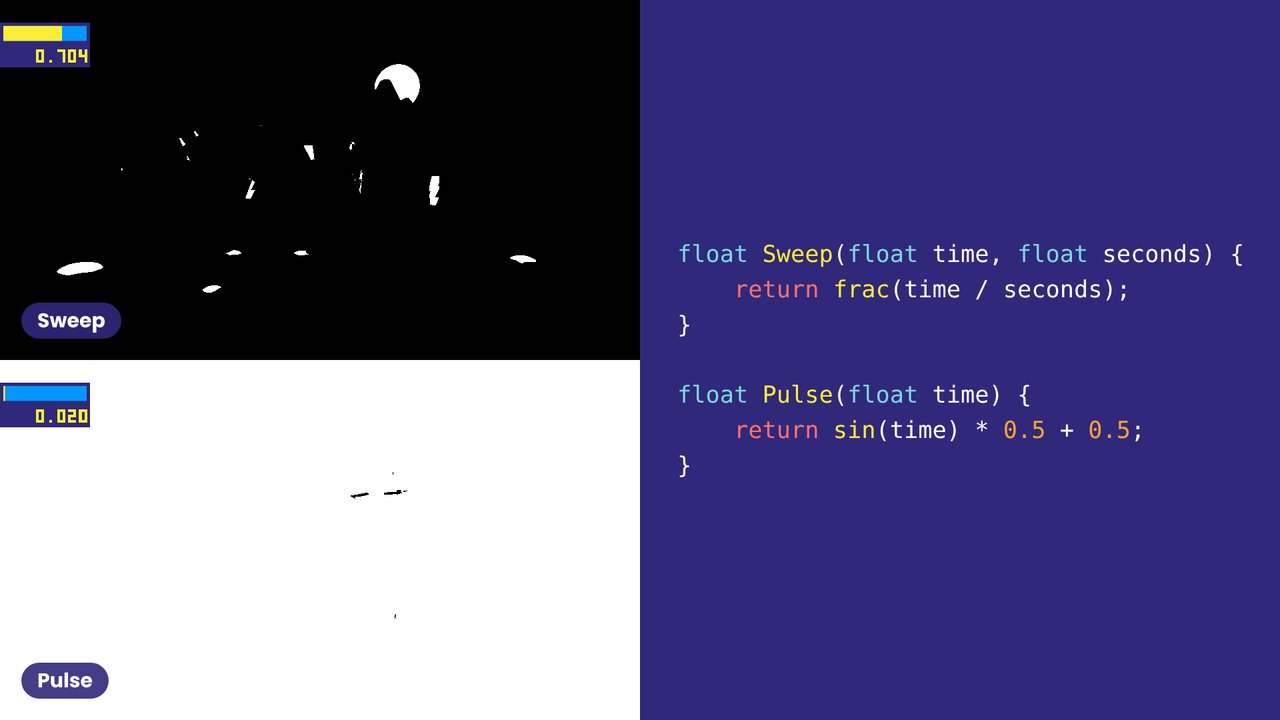 44
Dos formas de animar: un barrido (Sweep) que se repite, y un pulso (Pulse) que va y viene.
Two ways to animate: a sweep that repeats, and a pulse that goes back and forth.
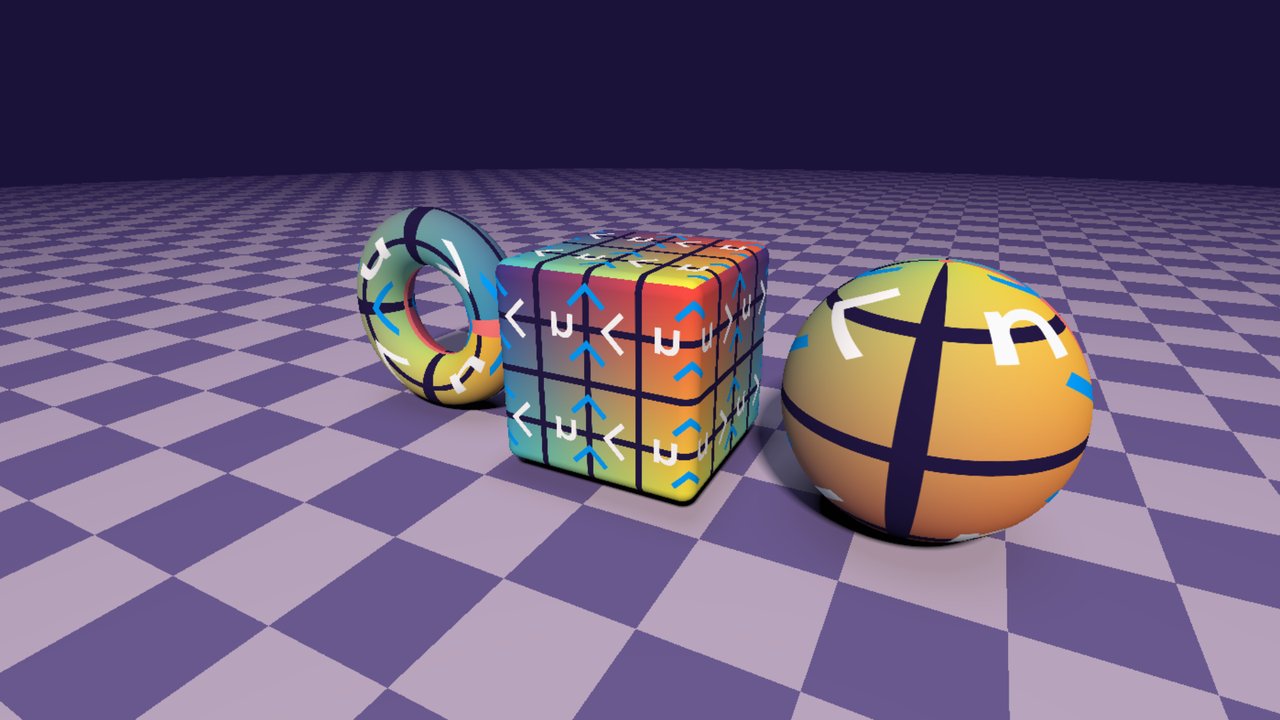 45
Una estrategia muy útil es usar imágenes de debug especialmente diseñadas para ver más fácilmente qué está pasando. Un ejemplo que quizás conozcan bien son estas grillas de UV, que permiten ver fácilmente el mapeo UV de una malla. También es útil tener herramientas para activar texturas de debug en tiempo de ejecución.
A very useful strategy is to use specially designed debug images to make it easier to see what is going on. An example you may know well is these UV map grids that make it easy to see the UV mapping of a mesh. It is also useful to have tools that can toggle debug textures at runtime.
 46
Una grilla UV en un modelo de la escena.
A UV grid on a model from the scene.
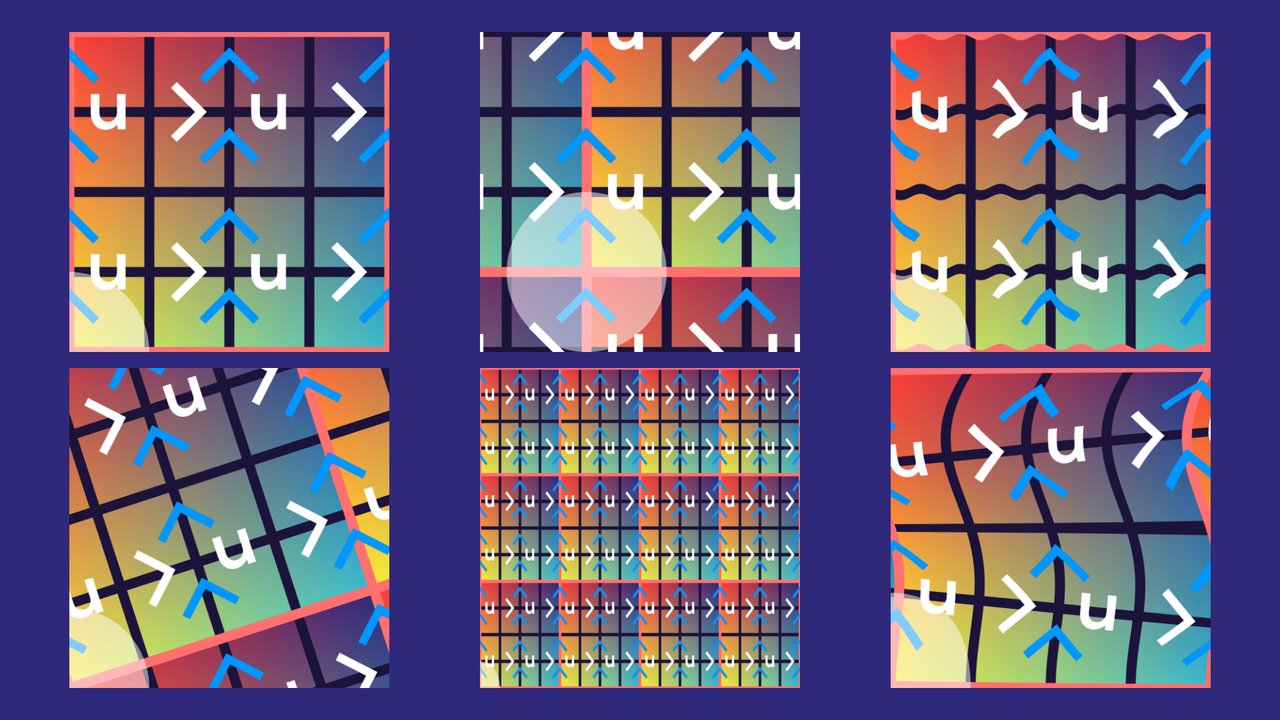 47
Distintas texturas de grilla UV.
Different UV grid textures.
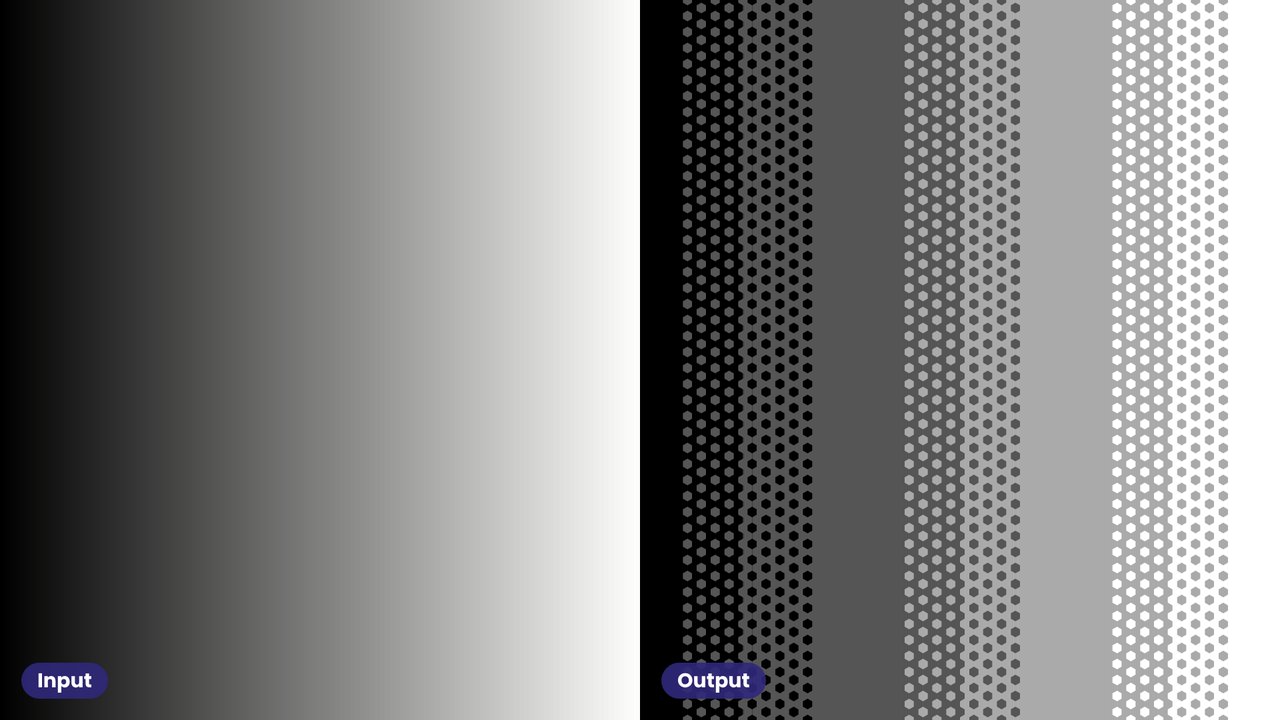 48
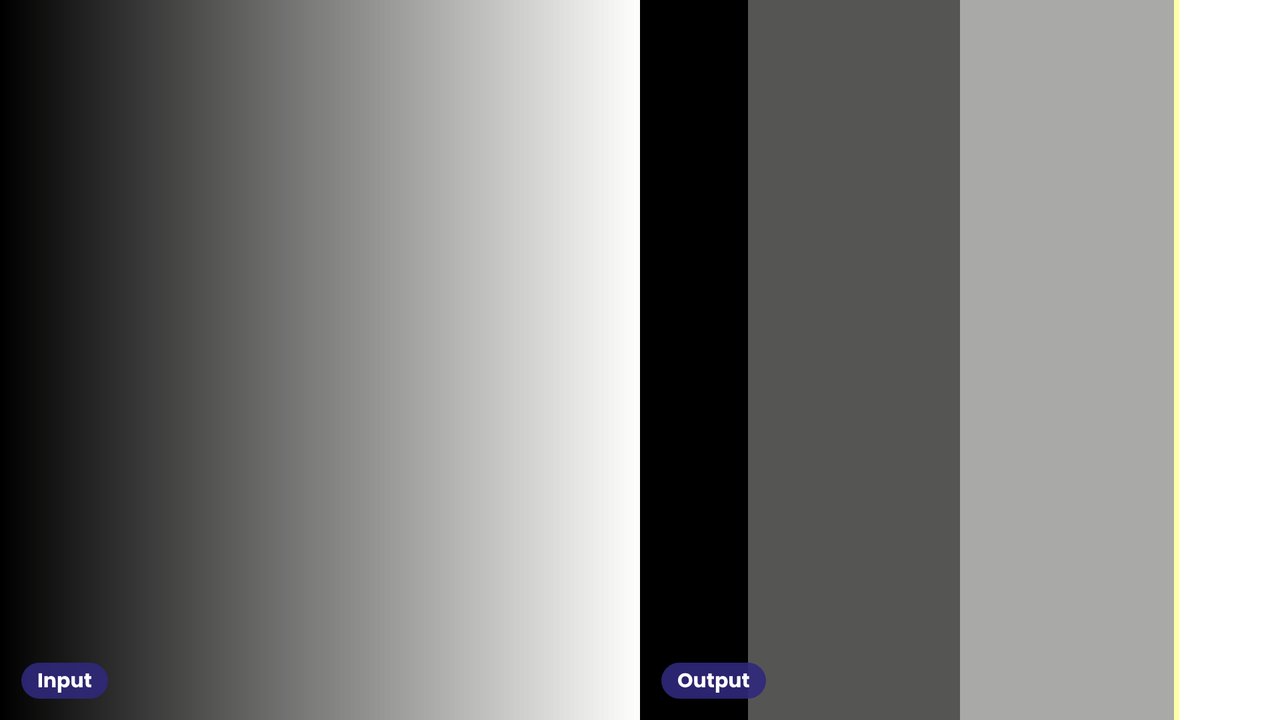
Los gradientes también son muy útiles, y además se pueden calcular. Además de usar imágenes de debug como texturas, también puedes usarlas en efectos de pantalla completa en lugar de la escena. Aquí, un gradiente con dithering.
Gradients are also super useful, and moreover can be computed. Besides using debug images for textures, you can also use them for fullscreen effects to replace the scene. Here, a gradient with dithering.
 49
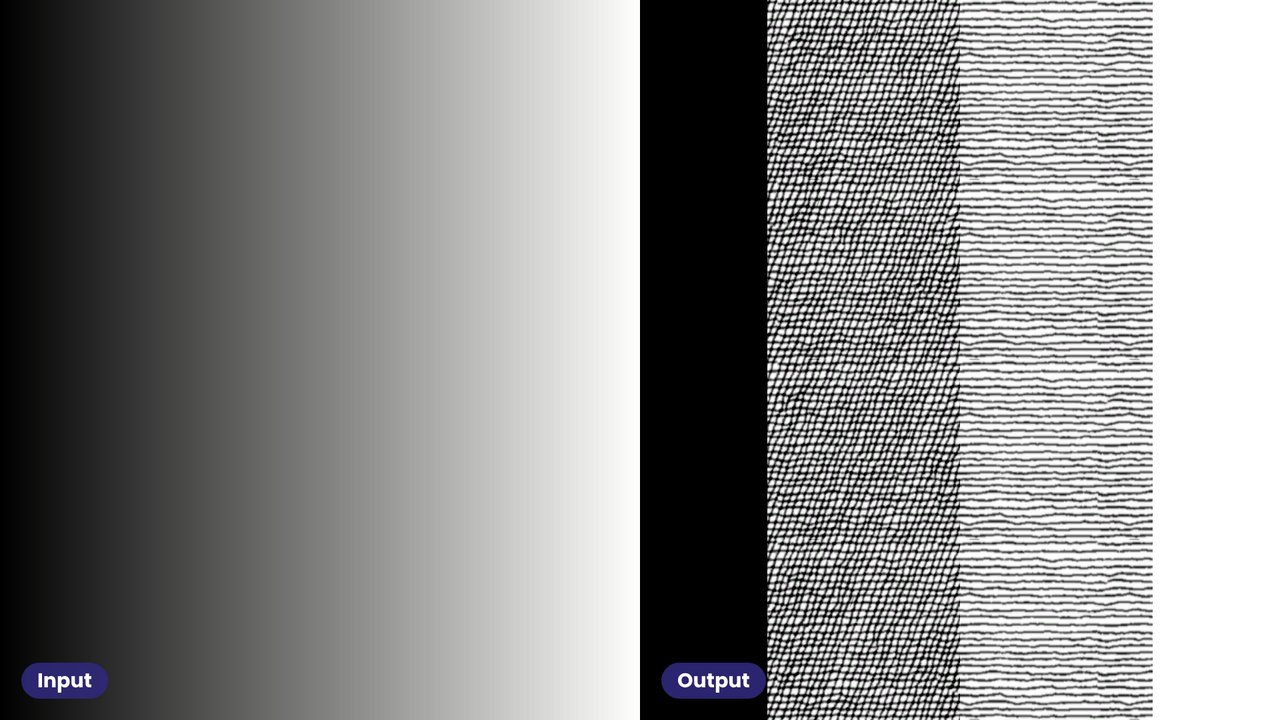
En un filtro de cuantización, puedes usar gradientes para ver si las bandas están espaciadas de forma pareja.
In a quantization filter, you can use gradients to see whether the bands are evenly spaced.
 50
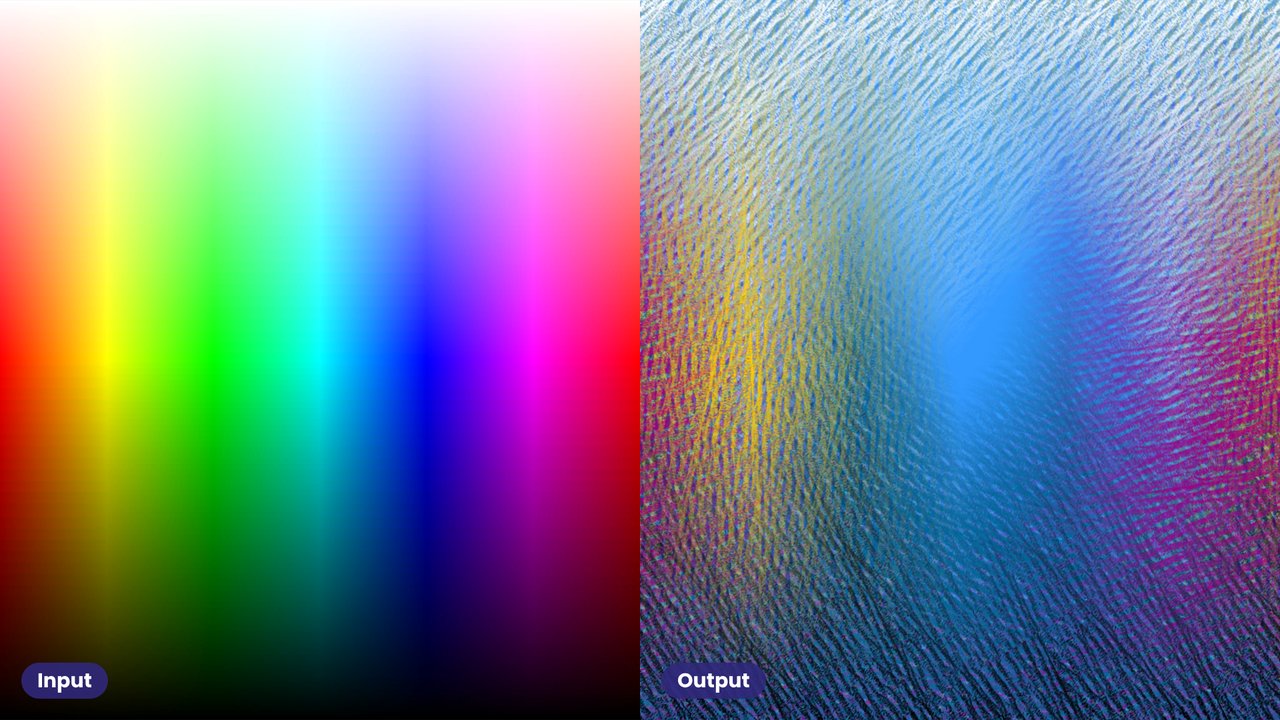
Un gradiente con un efecto de tramado (hatching).
A gradient through a hatching effect.
 51
Un mapa HSL con el mismo tramado.
An HSL map through the same hatching.
 52
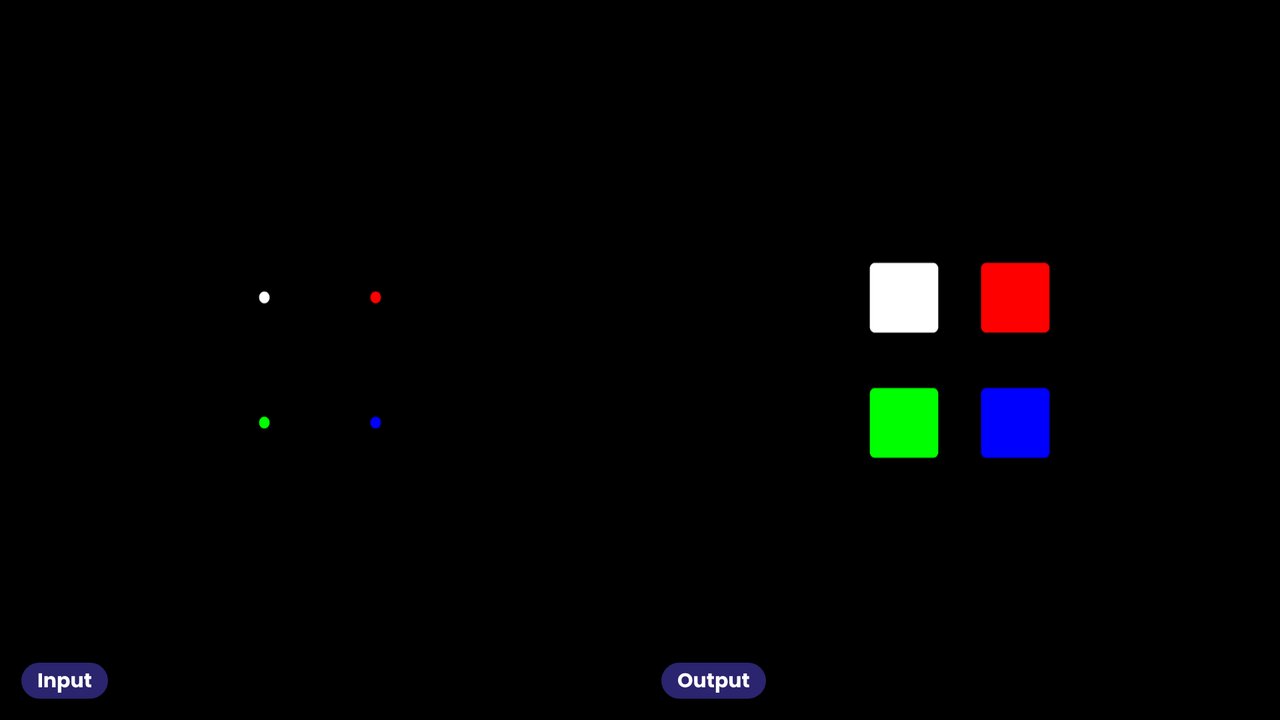
La idea general es usar una textura en la que sea fácil entender cómo debería verse bajo la transformación en cuestión. Por ejemplo, para comprobar que un filtro max separado funciona, puedes usar un punto blanco sobre fondo negro: el resultado debería verse como tu kernel. Para comprobar cada canal, usa un punto rojo, uno verde y uno azul. Donde los cuadrados se superponen, deberías ver los canales combinarse.
The general idea is to use a texture where it is easy to understand how it should look under the transformations at hand. For example, to see that a separated max filter works correctly, you can use a white point on a black background: the result should look like your kernel. To see that each channel is correct, you can use a red, green and blue point. Where the squares overlap you should see the channels combine.
 53
Los mismos puntos con un blur de caja y uno gaussiano: la forma del kernel se ve directamente.
The same points with a box blur and a Gaussian blur: the shape of the kernel shows directly.
 54
Para probar transformaciones de color, usa una grilla de colores que incluya primarios, secundarios y varios terciarios. Los grises deben seguir siendo grises.
To test colour transformations, use a grid of colours that includes primaries, secondaries, and a variety of tertiary colours. Greys must stay grey.
 55
La misma grilla con dithering.
The same grid with dithering.
 56
Una grilla polar es útil para revisar efectos direccionales, por ejemplo las pasadas vertical y horizontal de un blur separable.
A polar grid is useful for checking directional effects, for example the vertical and horizontal passes of a separable blur.
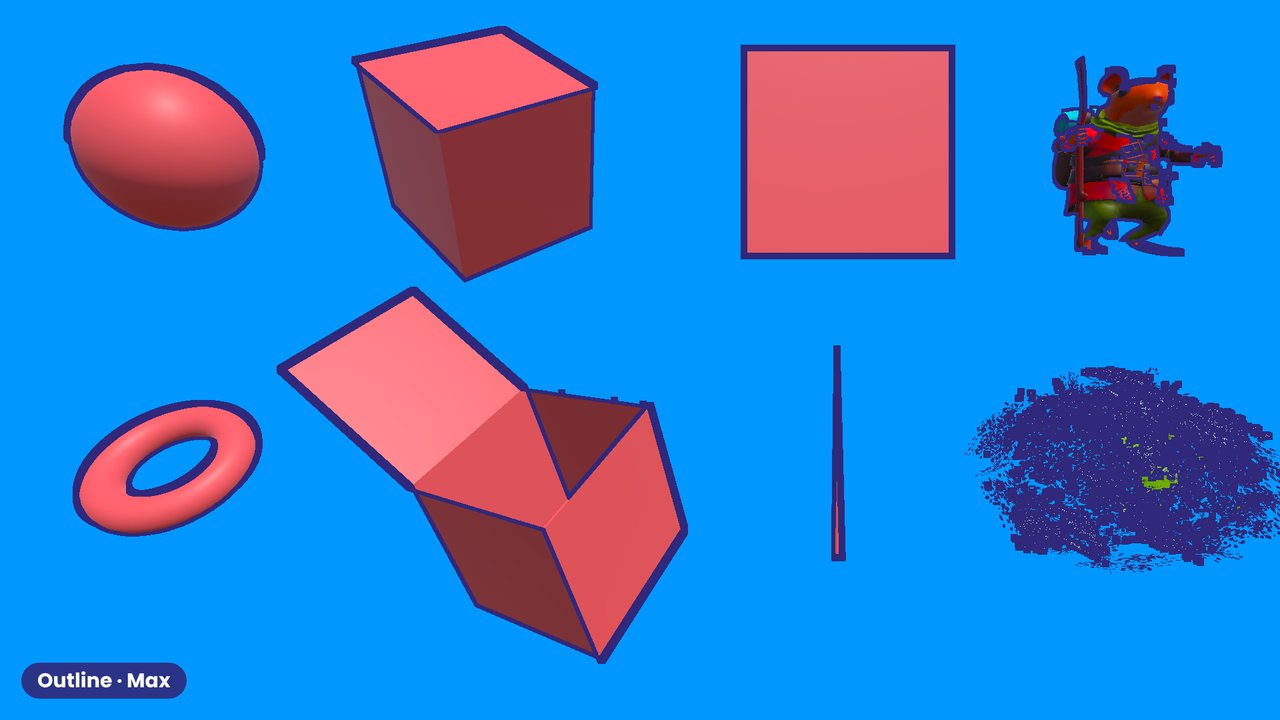 57
Las formas de debug también son útiles para ver artefactos de renderizado: primitivas (cubo, esfera, pirámide, dona), cilindros delgados, plantas, modelos con mucho detalle (personajes) y formas especiales para contornos. Aquí, con un contorno basado en max.
Using debug shapes is also useful to see rendering artefacts: primitives (cube, sphere, pyramid, donut), thin cylinders, plants, high-detail models (characters) and special shapes for outlines. Here with a max-based outline.
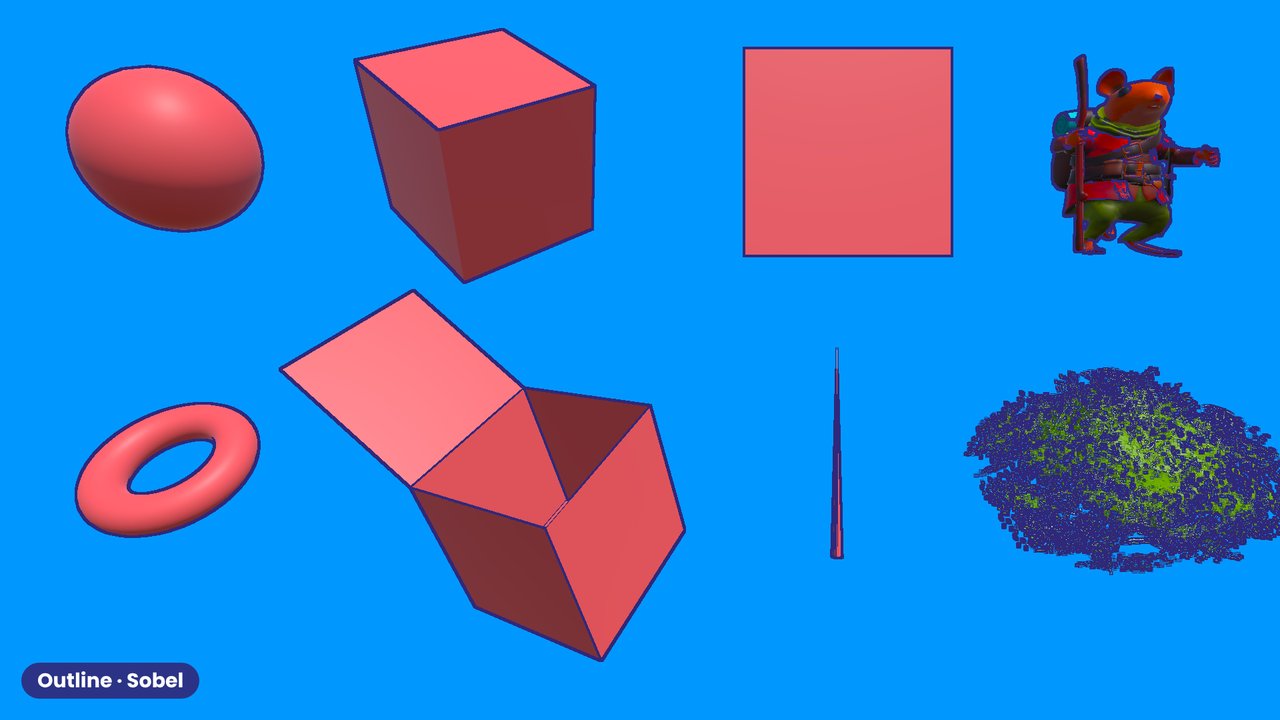 58
Las mismas formas con un contorno Sobel.
The same shapes with a Sobel outline.
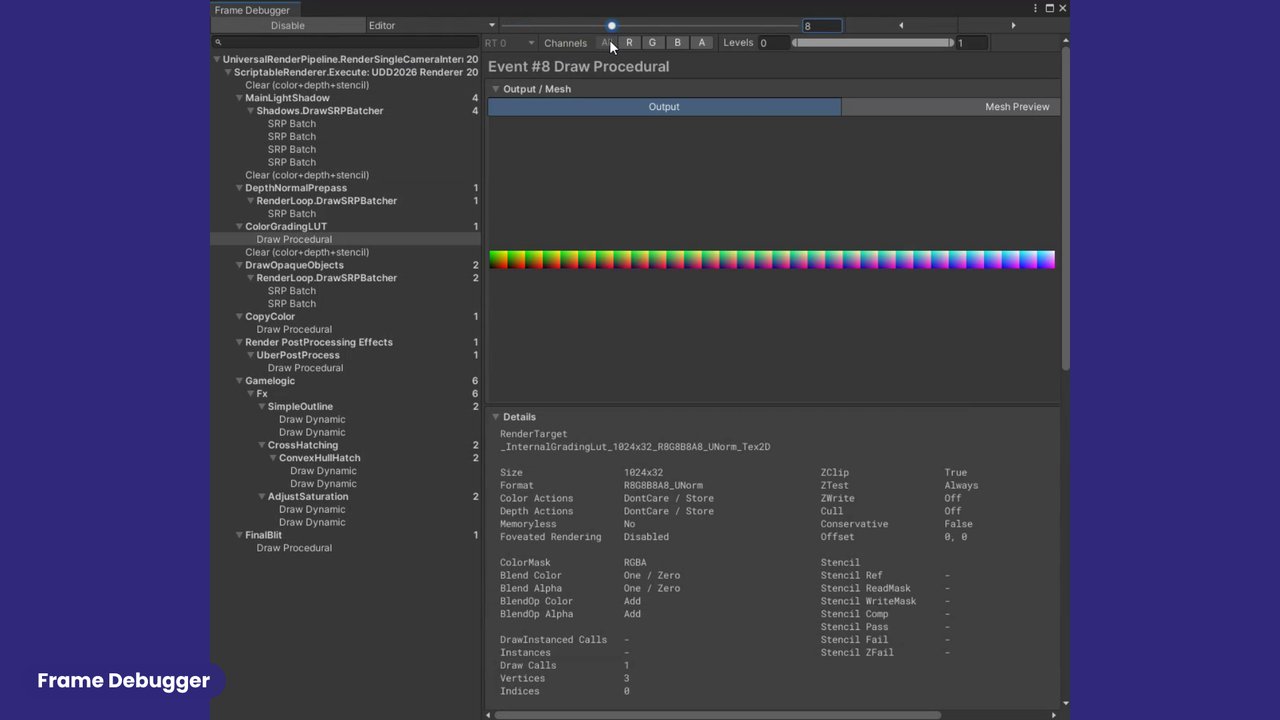 59
En configuraciones complejas, el render final puede involucrar varias pasadas y varios shaders. En ese caso quieres ver que pasen las cosas correctas y en el orden correcto. El Frame Debugger de Unity es la herramienta para esto: permite ver la salida de las distintas pasadas, y también los mapas que sirven de entrada a los shaders, como el shadow map.
In complex setups, the final render may involve several passes and multiple shaders. In this case you want to see that the right things happen, and in the right order. Unity's Frame Debugger is the tool for this. It allows you to see the output of different passes, and also the maps that serve as input for shaders, such as the shadow map.
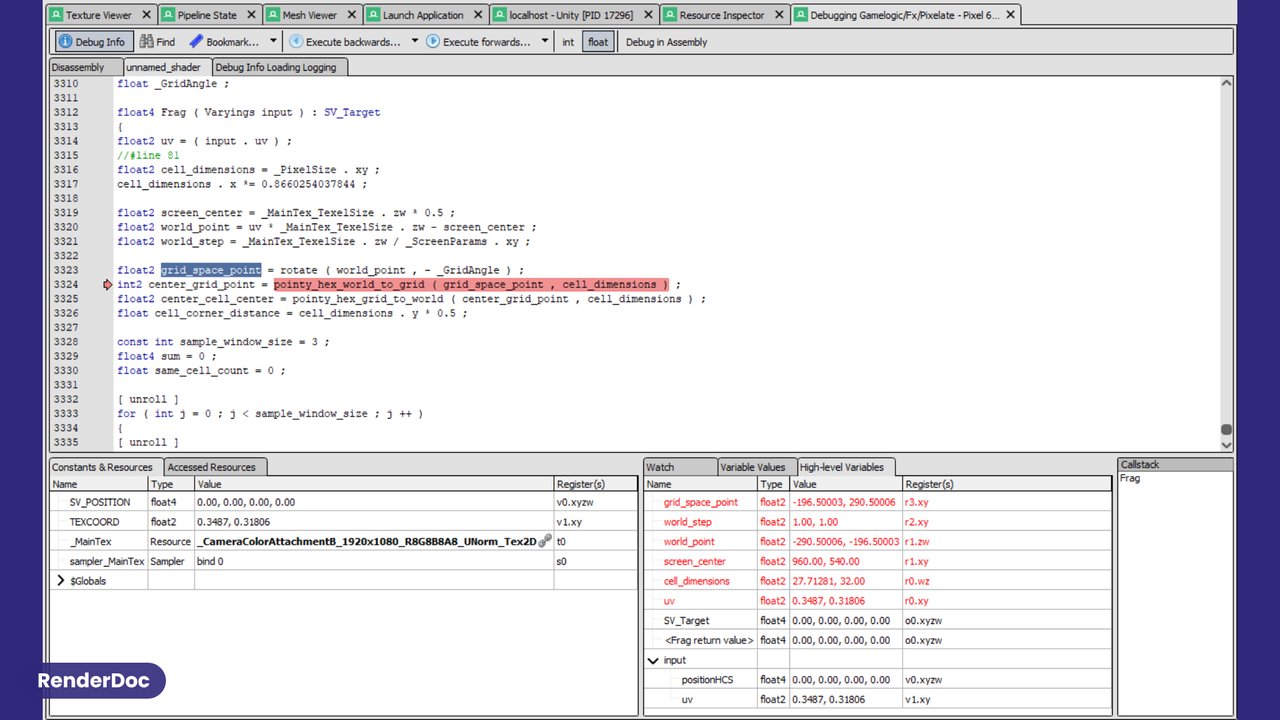 60
También puedes usar RenderDoc para examinar valores línea por línea en un shader.
You can also use RenderDoc to examine values line by line in a shader.
 61
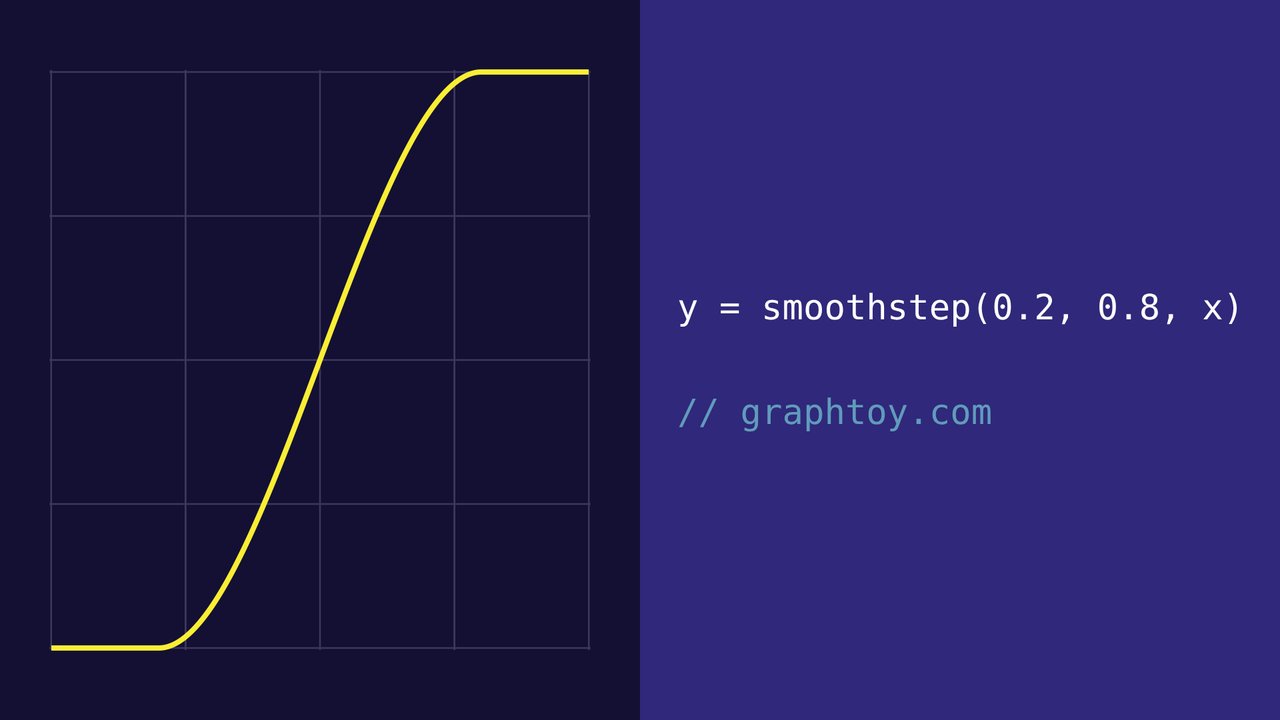
Es muy útil graficar las ecuaciones que usas en tus shaders. Así es fácil visualizar qué hace la matemática y comprobar tus supuestos (por ejemplo en graphtoy.com).
It is very useful to plot the equations you use in your shaders. This makes it easy to visualize what the math does, and to check your assumptions (for example with graphtoy.com).
 62
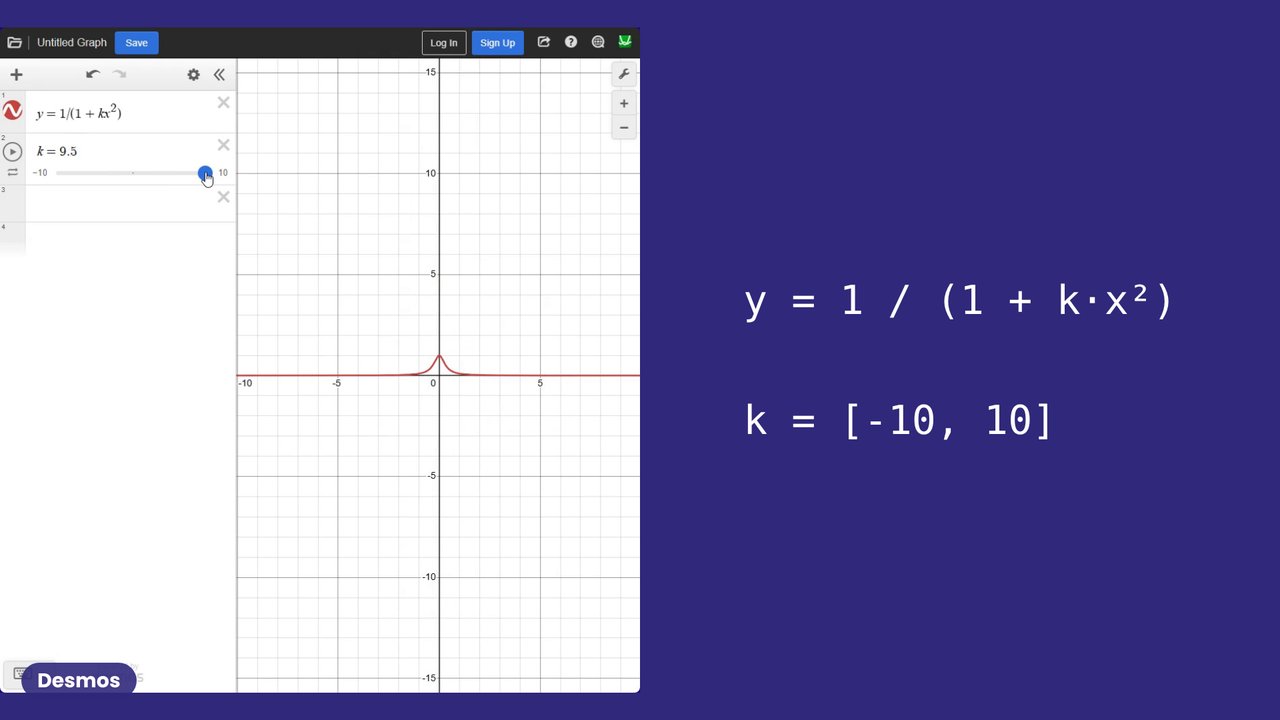
En Desmos puedes agregar un slider a un parámetro y ver cómo cambia la curva.
In Desmos you can put a slider on a parameter and watch the curve change.
 63
Ahora, antes de terminar, quisiera dar unos trucos rápidos para hacer más fácil el desarrollo de shaders y ahorrar algo de tiempo.
Now, before we finish, I'd like to share a few quick tricks to make shader development easier and save some time.
 64
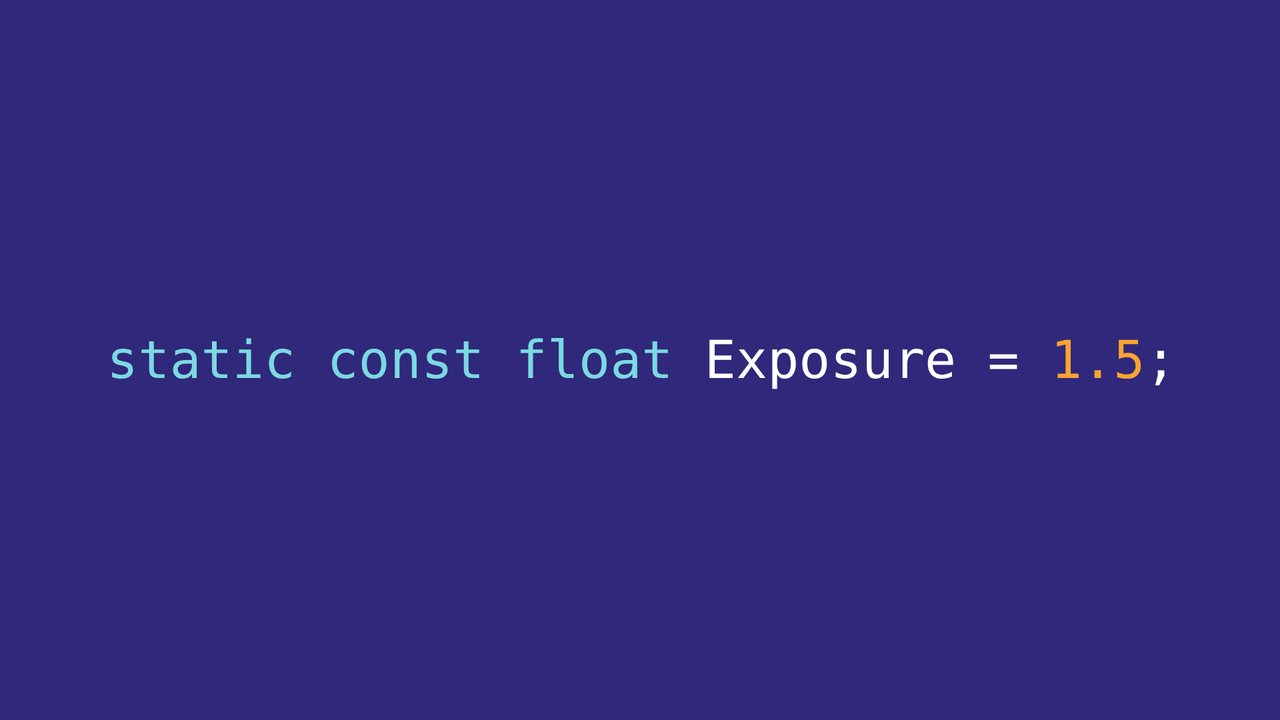
Usa constantes antes que uniforms. Agregar un uniform a la pipeline es costoso en tiempo e implica también modificar la parte de CPU. Puedes aprovechar el hot reloading para cambiar la variable, o el tiempo, como vimos antes.
Use constants before uniforms. Adding a uniform to the pipeline takes time and also means changing the CPU side. You can use hot reloading to change the variable, or time, as we saw earlier.
 65
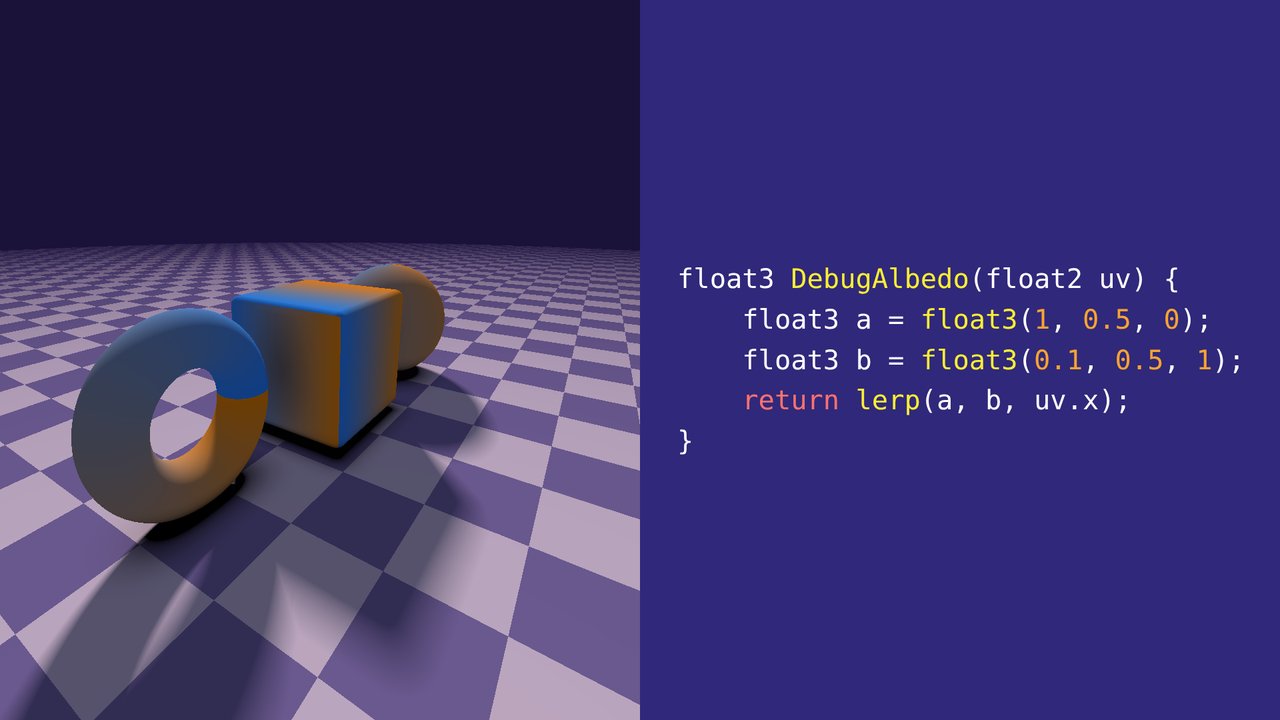
Usa colores fijos, gradientes o texturas de debug como las de mapas UV, para primero comprobar que el espacio y las zonas objetivo están como esperas.
Use fixed colours, gradients or debug textures such as UV maps, to first check that the space and the target areas are as you expect.
 66
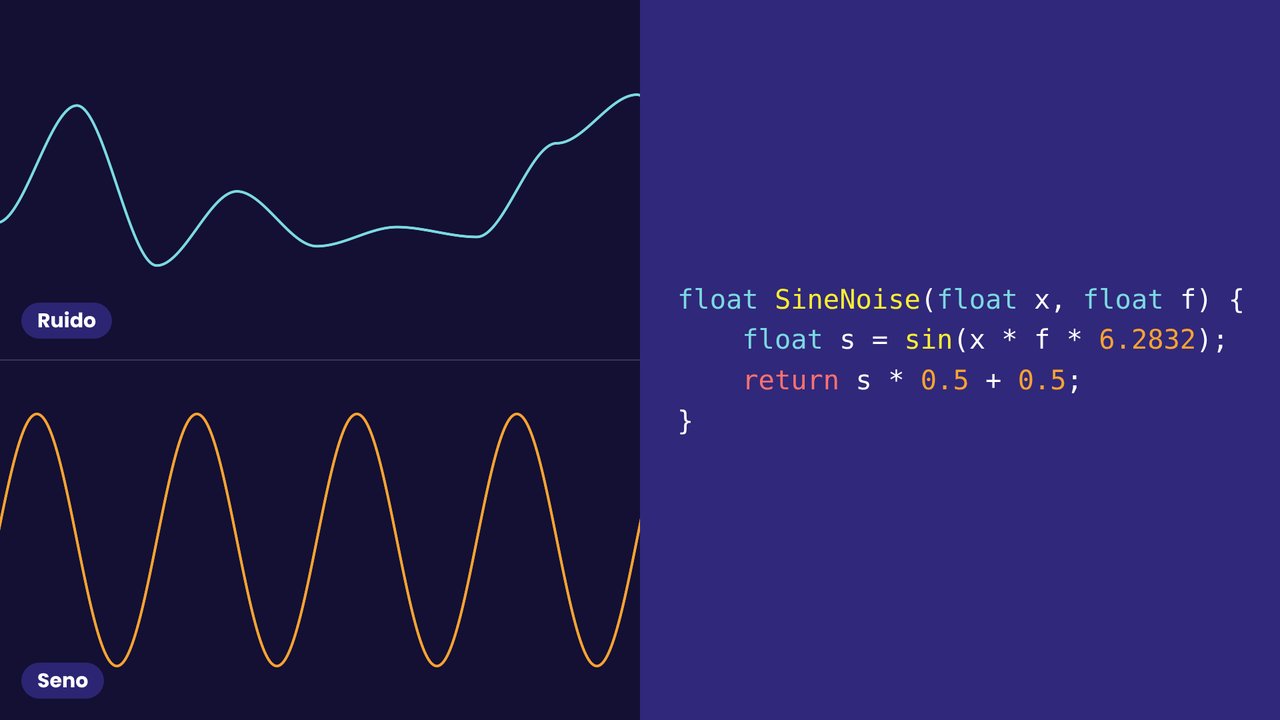
Usa ondas sinusoidales deterministas con la misma frecuencia que un ruido, para no tener que usar una textura o un algoritmo de ruido durante el desarrollo. Arriba está el ruido y abajo el seno con la misma frecuencia.
Use deterministic sine waves with the same frequency as a noise, so you don't need a noise texture or algorithm during development. At the top is the noise, and below it the sine with the same frequency.
 67
Gracias por venir a nuestra charla! Si les interesan estos temas, visiten mi canal de YouTube, donde explico cómo implementar post-efectos, con más trucos para depurar problemas. También pueden ver algunos de los post-efectos que vendemos en el Asset Store.
[Sara] (Cierre de Sara, por agregar.)
Thank you for coming to our talk! If you are interested in these topics, please take a look at my YouTube channel where I explain how to implement post effects, with more tricks on how to debug issues. You can also check out some of the post effects we sell in the Asset Store.
[Sara] (Sara's closing words, to be added.)